
Dashboard: Watching the Agents Work
Dashboard: watching AI agents work
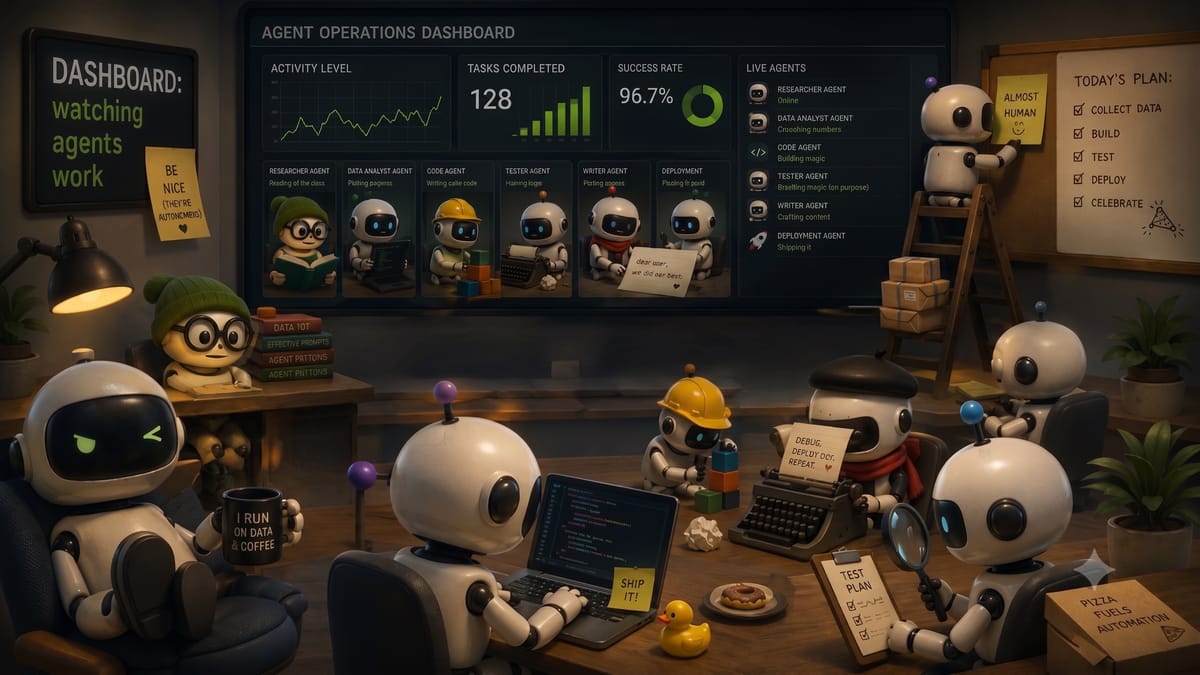
A live dashboard showing every agent in the InAgentic stack: what triggered it, what it did, and what it returned. Not logs buried in a terminal. A visible, shareable view of the system behaving in production.
The goal is operational confidence. When something runs at 3am, you should be able to open a browser the next morning and see exactly what happened.
That's our ambition but we start with ideas tab and publishing dashboard.
Claude Desktop is a thinking tool. It is excellent for exploratory work — drafting, researching, reasoning through a problem. What it is not is an integration layer. For organisations that want AI running reliably across a team, reacting to real events, and writing to shared systems, a custom dashboard is the right architecture. Here is how ours is built, and why an IT team or managed service provider can deploy it in a day.
Claude Desktop Is Personal. A Dashboard Is Organisational.
The difference is not capability — it is deployment model. Claude Desktop works brilliantly for the individual sitting in front of it. A custom dashboard works for everyone in the organisation, whether they are at their desk or not.
The specific things a dashboard gives you that Claude Desktop cannot:
- Consistent prompts across all users. Every conversation in Claude Desktop starts fresh. A dashboard runs the same prompt, the same way, every time — for every team member.
- Scheduled and event-driven execution. Jobs run at 7am, react to a Stripe webhook, or trigger when a queue fills. No human required to start them.
- Shared state and audit trail. Results write to Postgres. Every agent run is logged. The IT team can see what ran, when, and what it produced.
- Role-based access. Different users see different agents. A managed service provider can configure this once and hand it to the client.
- Integrations that actually connect consistently. Gmail OAuth, Stripe webhooks, SES, HeyGen, YouTube — all wired up and verified, not described in a chat window.
This is the distinction that matters for teams: Claude Desktop is something you use. A custom AI dashboard is something you deploy.
What We Built
The InAgentic internal dashboard runs nine agents. Each has its own tab. An IT administrator or MSP can configure each agent — prompts, schedules, API connections — from a single interface, then hand it to the team with nothing left to set up.
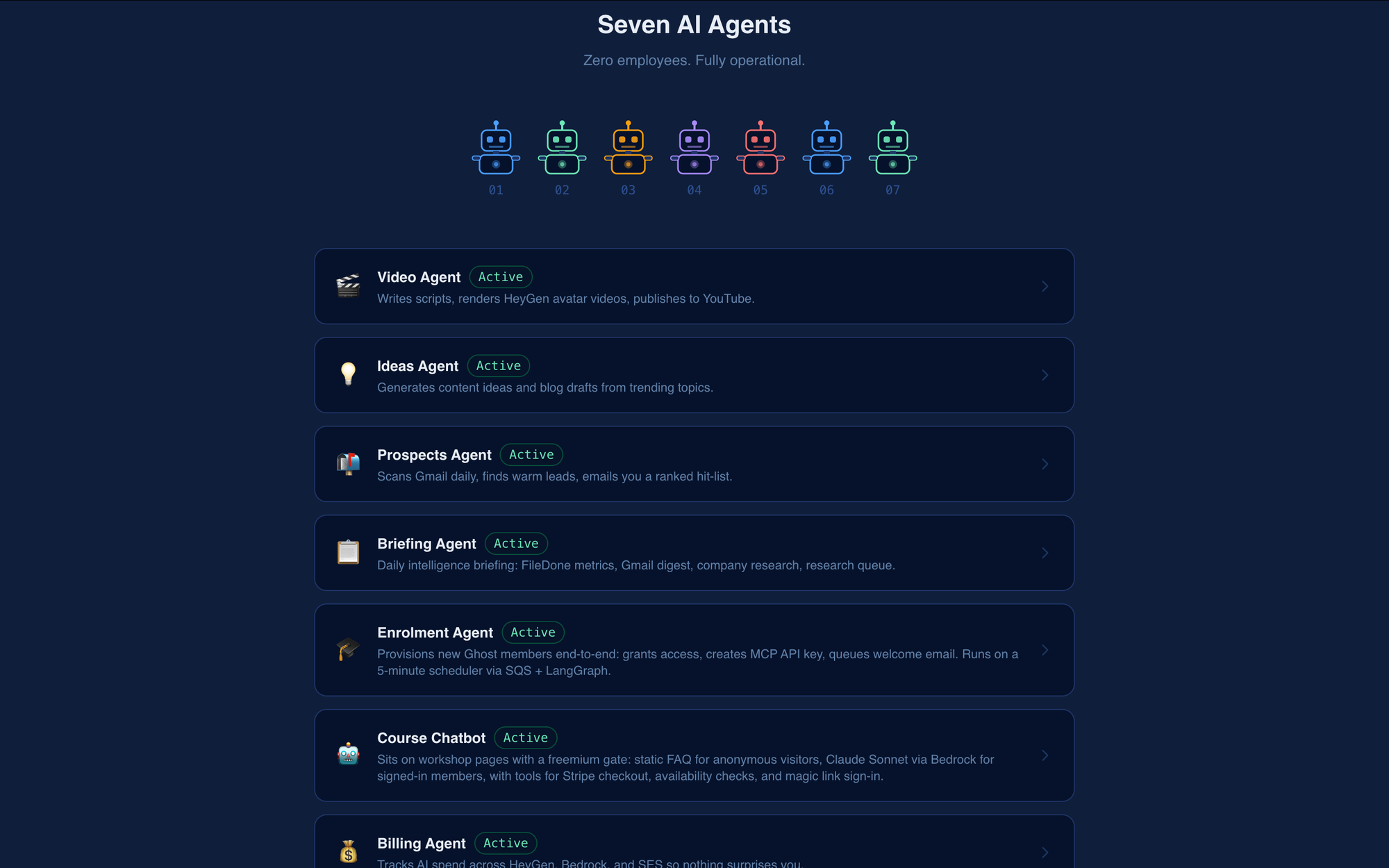
The Tabs
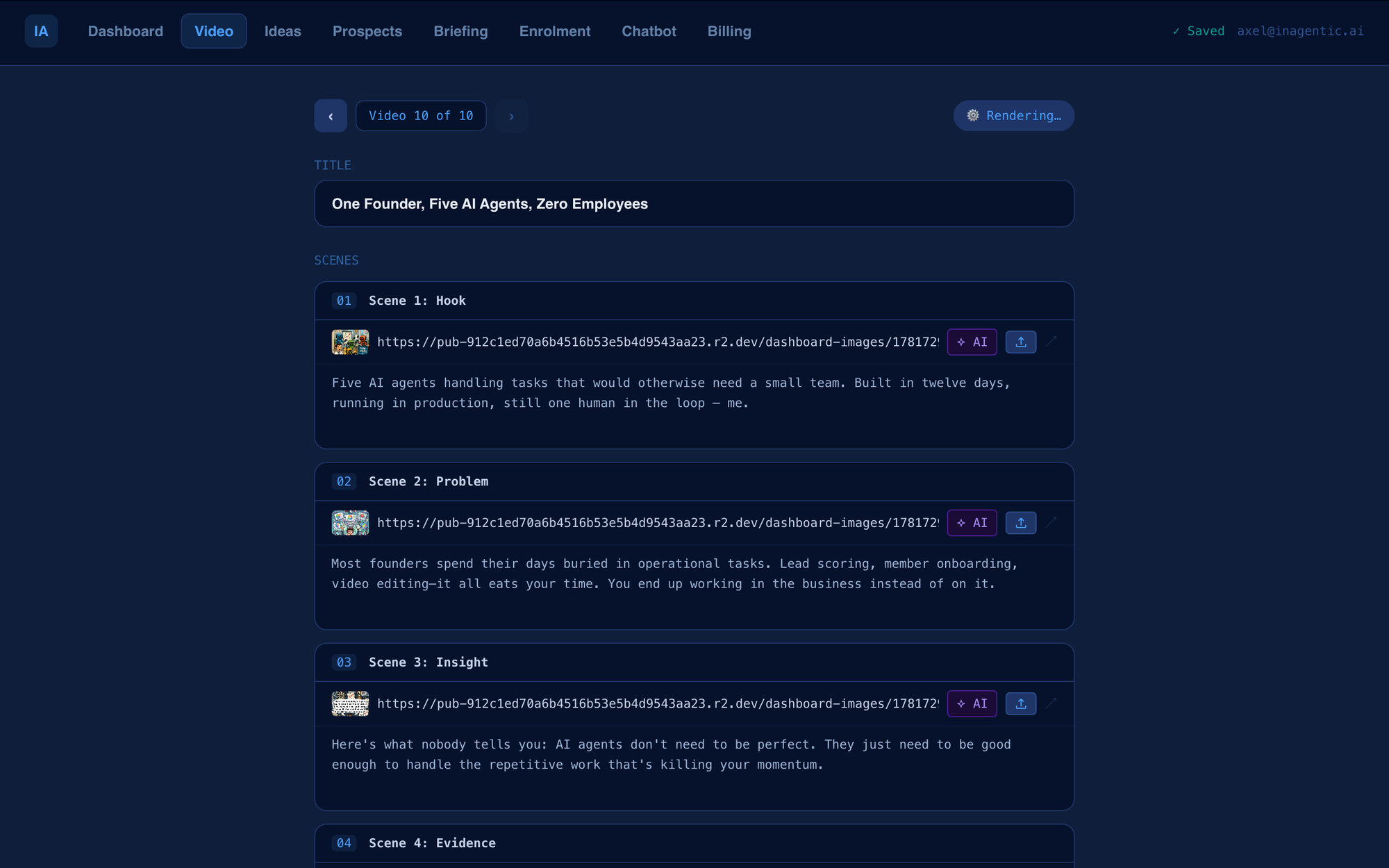
Video
Ten video slots, each with seven scene cards. Write the voice-over script for each scene, upload a background image, and hit Render. The agent calls the HeyGen API, overlays the avatar in circle mode, and returns a download link. When the video is ready, Publish pushes it to YouTube via the YouTube Data API. The HeyGen API key and YouTube credentials are set once by the administrator — team members never see them.
Ideas
A list of ten video ideas. Edit any, hit Generate with a prompt, and Bedrock rewrites them. Hit Create Script on any idea and the agent writes a complete seven-scene script — one Bedrock call per scene — and saves it directly into the matching Video slot. The Bedrock model, region, and system prompt are all configurable from the admin panel.
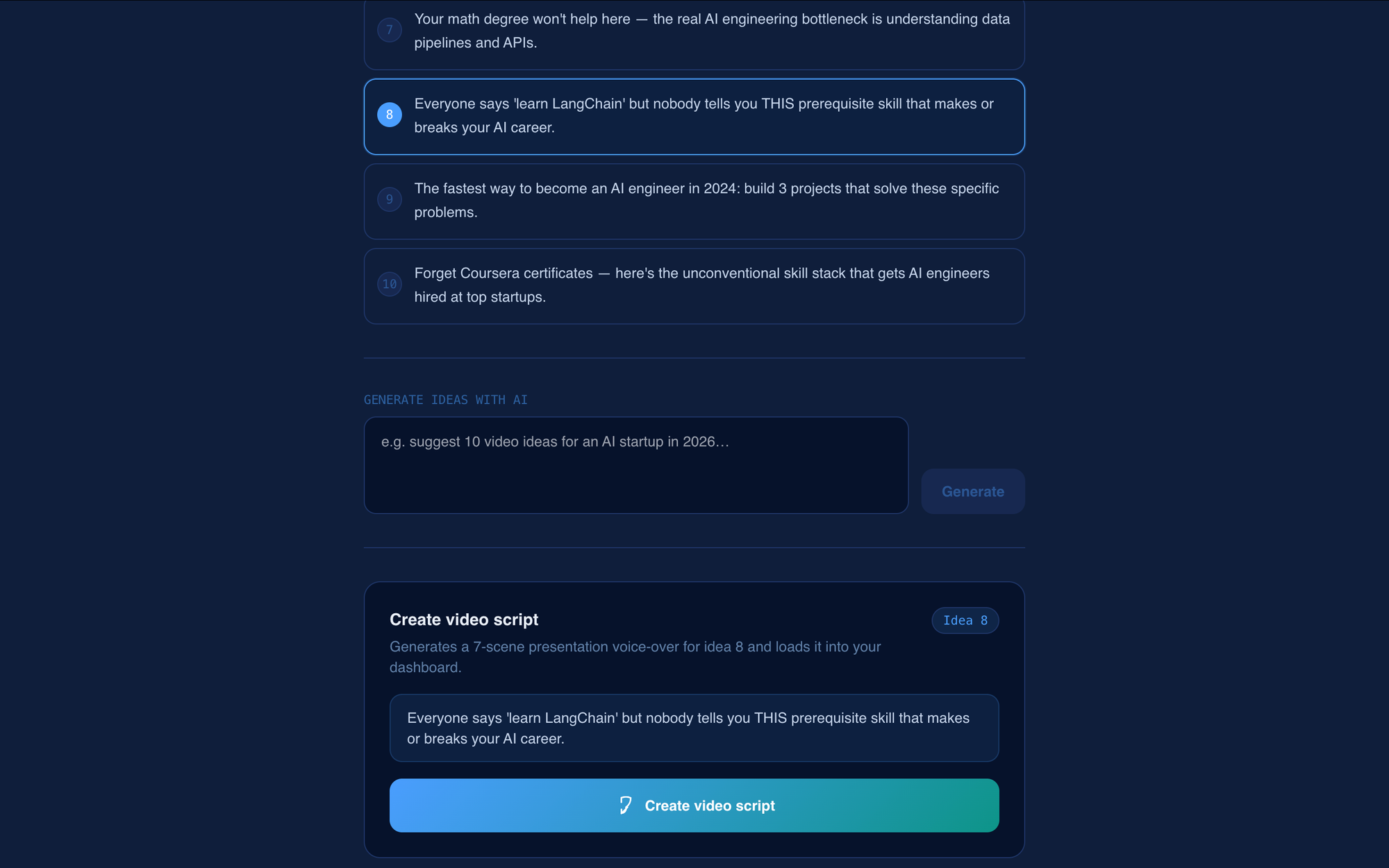
Example of idea agent video
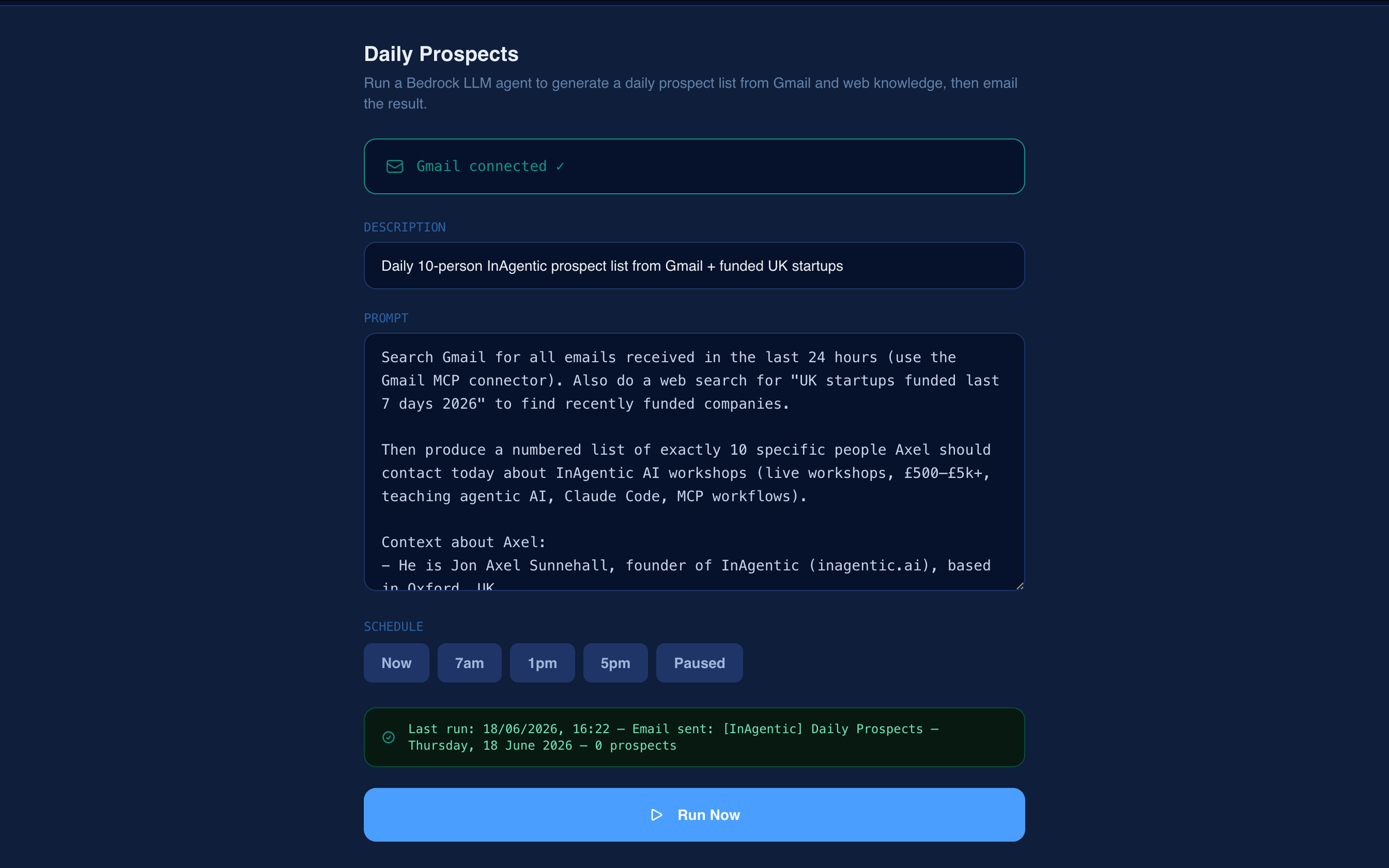
Daily Prospects
Every morning at 7am, the agent reads the last 24 hours of Gmail, ranks contacts by likelihood of needing InAgentic services, and emails a formatted table to the configured recipient. Name, company, reason, and one specific action per row. The Gmail OAuth connection, the schedule, the output email address, and the scoring prompt are all set by the administrator during onboarding. Team members receive the briefing — they do not configure it.
Prospects tab showing prompt editor, schedule and setup
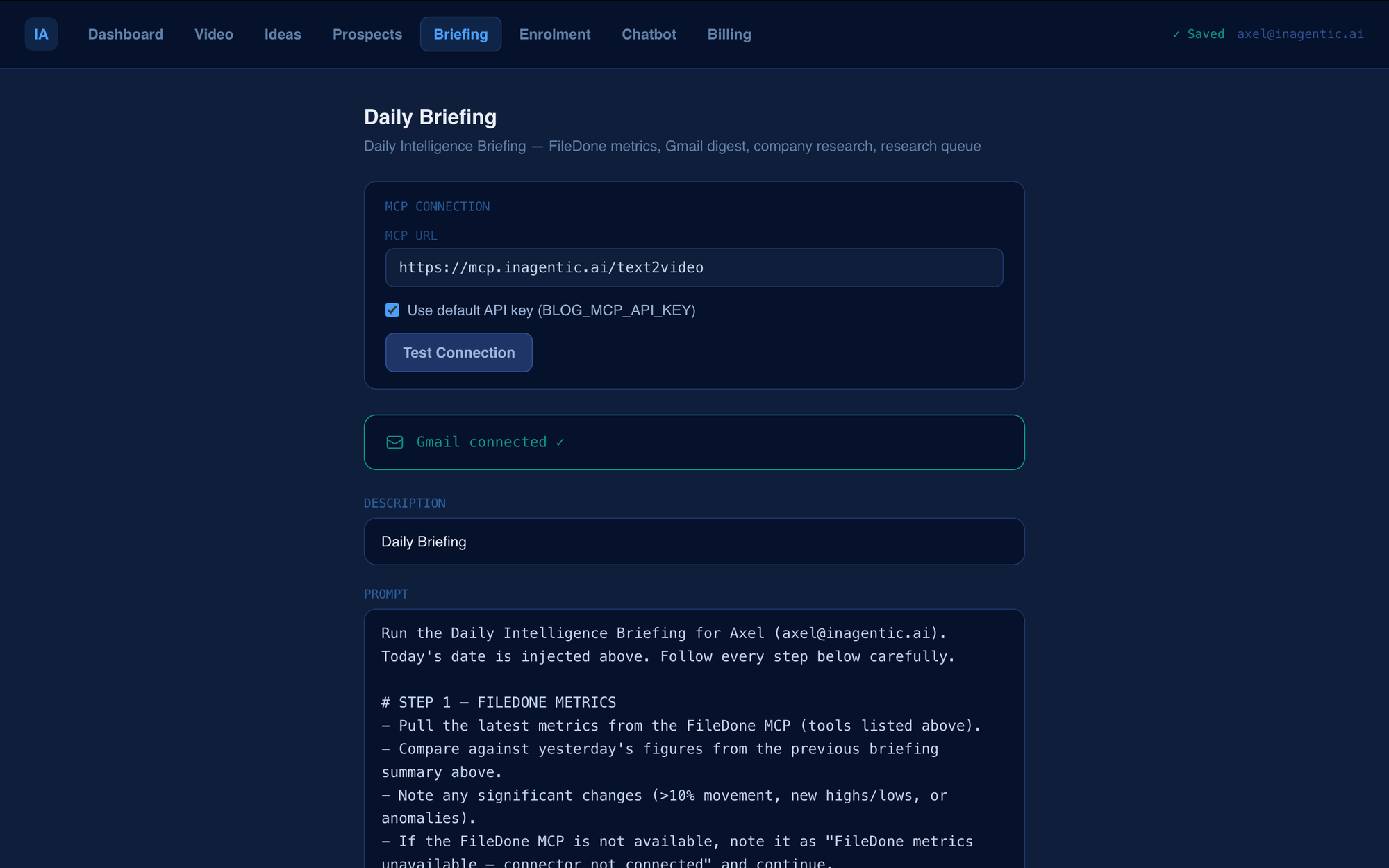
Daily Briefing
The full intelligence briefing: FileDone metrics from the MCP server, Gmail digest with priority flagging, company research on external senders, and a three-item action list. Saved to a briefings table in Postgres so each day's briefing can be compared to the previous one. Includes an MCP connection tester — the IT team can verify any MCP endpoint is live before handing the system to the client.
Daily Briefing tab showing prompt editor, schedule and setup
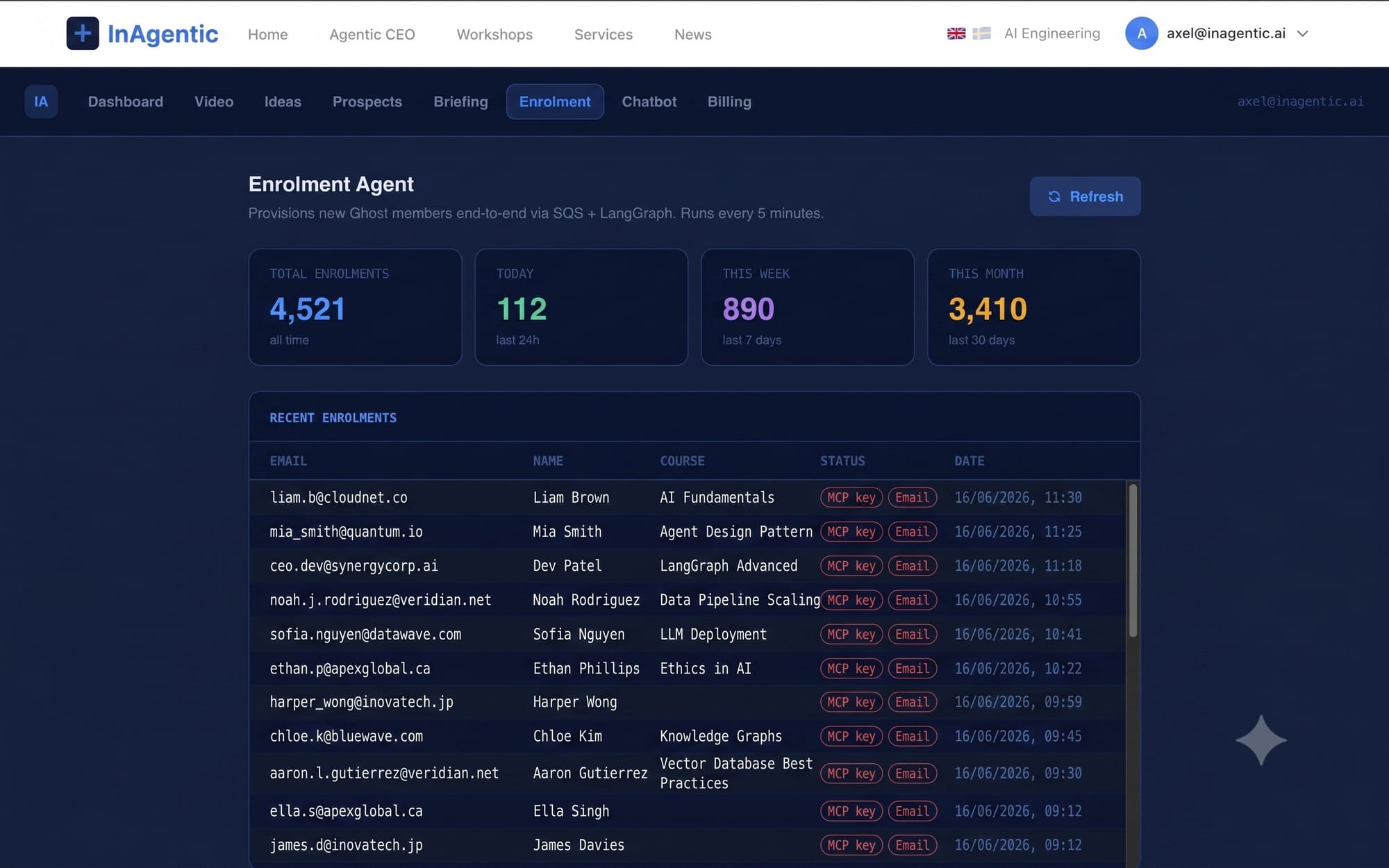
Enrolment
When someone buys a workshop via Stripe, the Enrolment Agent picks up the event from SQS within five minutes, grants Ghost membership, generates an MCP API key, and queues the welcome email. This tab shows the live stats: total enrolments, new today, this week, this month — and a table of recent enrolments with status badges for each provisioning step. The administrator configures the Stripe webhook, Ghost API key, and email template once at setup.
Enrolment tab for monitoring recent activities
Compliance
For any UK limited company, statutory deadlines are not optional — and missing one because no one was watching a calendar is an avoidable problem. The Compliance Agent pulls every filing deadline directly from the FileDone MCP server and surfaces them in a single table, sorted by proximity.
Each row shows the filing type, due date, days remaining, and a status badge — green for clear, amber for within 30 days, red for within 7. The agent runs every Monday morning and emails a digest of anything amber or red to the configured recipient — the business owner, their accountant, or the MSP managing their account.
The deadlines it tracks:
- Confirmation statement (Companies House — annual)
- Annual accounts (Companies House)
- Corporation tax return (HMRC CT600)
- Corporation tax payment deadline
- VAT return (quarterly)
- PAYE and payroll submissions
For a managed service provider, this tab is particularly useful. The MSP connects the client's company number to FileDone during onboarding. From that point, the client receives automatic compliance alerts without any further involvement from the MSP — and the MSP can verify everything is working from the admin panel.
Tasks
The Daily Briefing surfaces action items. The Prospects agent flags someone worth calling. The Compliance agent spots a filing coming due. All of these produce things to do — and a custom task system means they do not get lost in email or a separate tool.
The Task Agent gives them a home inside the same dashboard the team already uses. Each task has a title, source, due date, and a one-click Complete link. Clicking the link sends a POST to the dashboard API, marks the task done in Postgres, and logs the timestamp. No login required — the link carries a signed token valid for 7 days. A team member can forward it to a colleague, who completes it from their phone without accessing the dashboard at all.
Tasks are created in two ways:
- Automatically — at the end of each Daily Briefing run, action items are written directly to the
taskstable with source logged asbriefing. - Manually — any team member can type a task into the dashboard and it appears in the shared list immediately.
The tab shows three views: Open, Completed (last 30 days), and Overdue. Overdue tasks older than 14 days resurface in the next morning's briefing — keeping the team honest without a notification flood.
The complete link format is simple:
https://inagentic.ai/en/dashboard/tasks/complete?id=abc123&token=signed_jwtOne link. One click. Task done. Logged, timestamped, visible to the whole team.
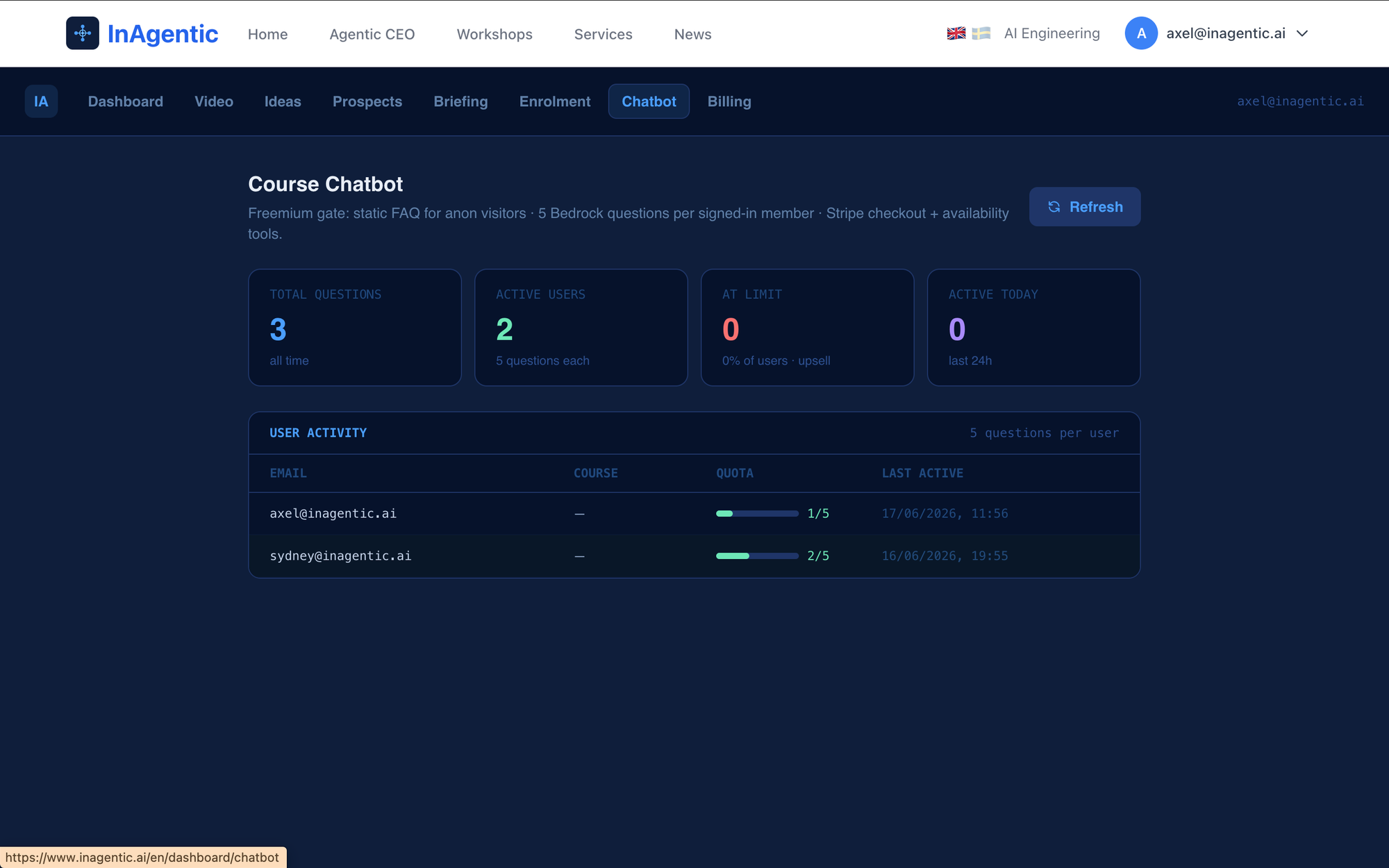
Chatbot
The course chatbot sits on every workshop page with a freemium gate: anonymous visitors get instant static FAQ answers, signed-in members get up to five Bedrock-powered questions with tools for Stripe checkout and availability checks. This tab shows total questions asked, active users, how many have hit the quota limit, and a per-user activity table. The static FAQ and quota limit are both configurable — no code deploy required.
Chatbot tab for monitoring recent chats
Billing
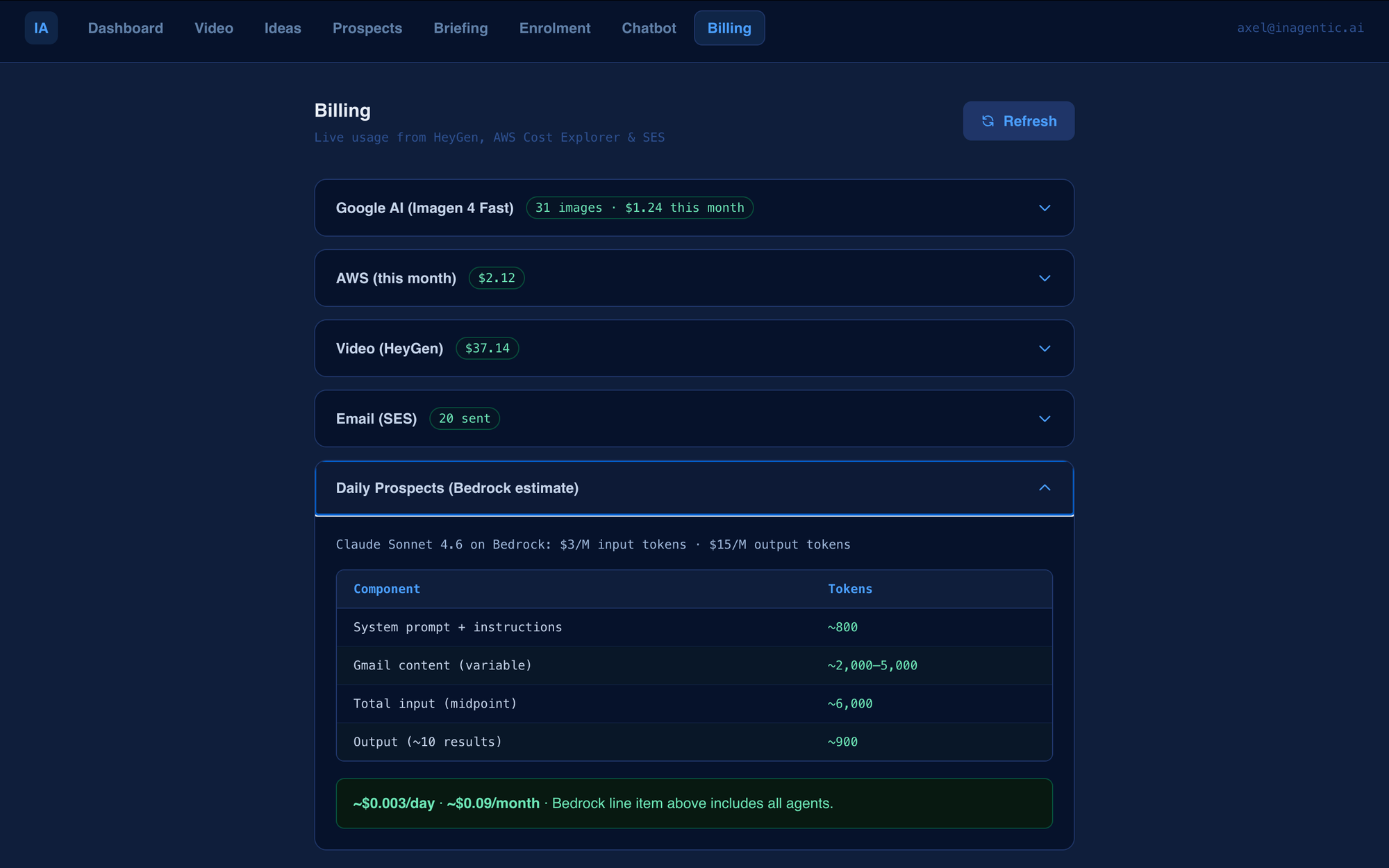
A transparent cost tracker with expandable sections per service. Actual spend per agent, not projections. Keeps the numbers visible so the IT team or MSP can report accurately to the client and spot any unexpected usage before it compounds.
Billing Tab showing expandable section for AI token and platform costs
How It Gets Deployed
The architecture is a Next.js application on AWS Amplify, with API routes calling Bedrock, SES, and third-party APIs. An IT team can fork the repository, configure the environment variables for their client, and have a working deployment in under a day. A managed service provider can maintain a single codebase and deploy separate instances per client — each with its own API keys, prompts, schedules, and branding.
The running infrastructure for a typical deployment:
| Service | What it powers | Monthly cost |
|---|---|---|
| AWS Bedrock | Prospects, Briefing, Ideas, Chatbot, Tasks | ~$1–3 |
| HeyGen | Video rendering (pay per minute) | $2–9 per video |
| AWS SES | Prospect, briefing, and compliance emails | ~$0.01 |
| FileDone MCP | Compliance deadline data | ~$0 |
| Amplify Hosting | The entire Next.js app | ~$15–25 |
| Total (no videos) | All agents except HeyGen | ~$18–28/month |
These are the infrastructure costs. An MSP would add their service fee on top. The point is that the per-client infrastructure is predictable and low — the value delivered by nine agents running reliably every day is not priced into the AWS bill.
What This Is Not
This is not a replacement for Claude Desktop. It is a complement to it. Claude Desktop is where individuals think through problems and prototype ideas. The dashboard is where those ideas get deployed as reliable, team-wide workflows. The pipeline is: explore in Claude Desktop → decide a workflow is worth repeating → build it into the dashboard → configure it once and walk away.
The dashboard itself was built in about two weeks of evenings using Claude Code. The code is straightforward — Next.js API routes, Bedrock, SES, and third-party APIs. No novel ML, no fine-tuning, no vector databases. Just nine agents that do their job reliably every day, visible to everyone who needs to see them.
What Is Next
The Enrolment tab will surface the human-approval queue so provisioning decisions can be made from the dashboard without a code change. The Chatbot tab will show full conversation transcripts and allow FAQ edits in place. The Compliance tab will support custom deadline types for sector-specific filing requirements. The Task tab will gain task delegation — assign to an email address, completion link goes to them, status visible to the team.
The goal is simple: one place to see what every agent is doing, and change what it does next — without involving a developer.
The dashboard is the internal ops layer for InAgentic. The architecture, deployment model, and agent configuration are covered in detail in the Agentic CEO workshop.