
Agents that reach out: more proactive agents

4 weeks ago I started building an agentic system that runs my business. This is day 20. Today the agent learned to write articles and newsletters — and email me for approval before doing anything with them.
4 weeks ago I started building an agentic system that runs my business. This is day 20.
The premise was simple: stop doing repetitive operational work yourself. Build agents that handle it. Stay in control through approval gates, not micromanagement.
This article itself was generated by the system I'm describing. The meta is intentional.
What we built today
| Status | Feature | What it does |
|---|---|---|
| ✅ Done | AI article pipeline | Agent reads your saved ideas, emails one-click selection links, generates a full article draft, sends preview, waits for your approval |
| ✅ Done | Newsletter pipeline | Same flow, newsletter format — insider tone, conversational, structured for your audience |
| ✅ Done | Human approval gates | Pipeline pauses at two points: choose idea, approve draft. Resumable from email or dashboard |
| ✅ Done | Inline draft editing | Approve as-is, or edit post message / article body / comments directly in the dashboard before approving |
| ✅ Done | Email one-click idea selection | Email contains numbered links — click one to select that idea and resume the pipeline without opening the dashboard |
| ✅ Done | Content library integration | Approved drafts auto-save to the Content page: Post message, Article, Comments — structured and ready to deploy |
| ✅ Done | Unified pipeline dashboard | Video, AI Article, and Newsletter pipelines all managed from one dashboard with real-time status polling |
For managers and directors: what this actually means
Most content operations look like this: you have ideas, someone writes drafts, you review, you approve, someone publishes. The bottleneck is almost always the writing — it's slow, inconsistent, and expensive to outsource.
What we built today changes that loop entirely.
The workflow now is:
- You save ideas as you think of them — anywhere, any time
- You start the pipeline — one button click
- You get an email with your saved ideas, each as a one-click link
- You click the idea you want written up
- 10–15 minutes later, you get another email with the full draft preview
- You review it in the dashboard — approve as-is, or edit any section inline
- Approved drafts appear in your content library, structured and ready to deploy
Your time investment: two email clicks and an optional 3-minute review. That's it.
The agent handles the generation. You stay in control at every decision point. Nothing gets published without your approval — but you're never blocked waiting for a writer, a brief, or a draft.
The strategic shift isn't just speed. It's that content production now scales with intent, not with headcount. If you want to publish five pieces this week, you start five pipelines. The work isn't in writing — it's in deciding what matters.
This is what "AI-augmented operations" looks like in practice. Not replacing judgment. Removing the friction between judgment and output.
For directors thinking about where AI fits in their organisation: the highest-leverage place is not in the tools your team uses day-to-day. It's in the workflows that connect ideas to action. That's where the compounding value is.
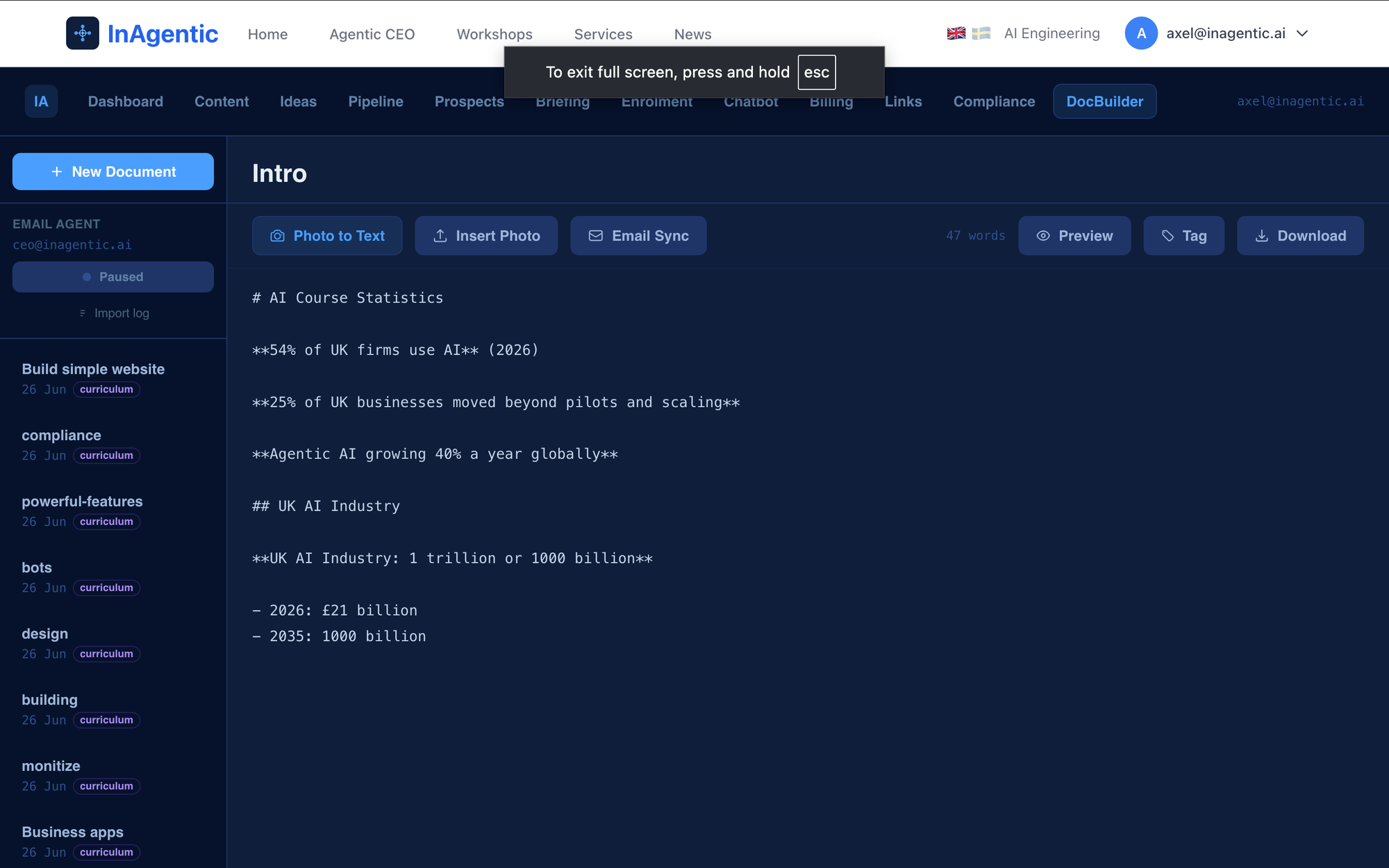
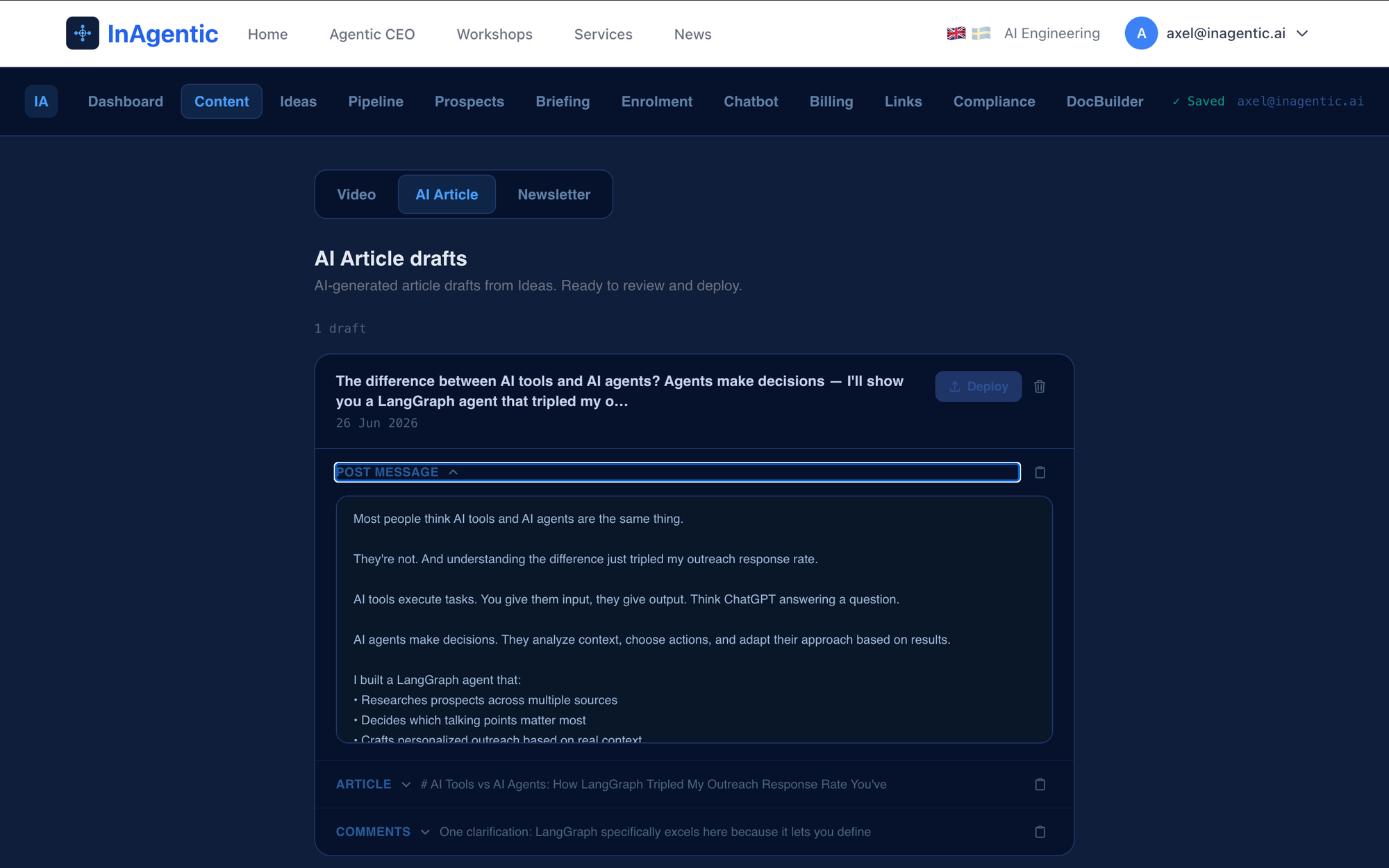
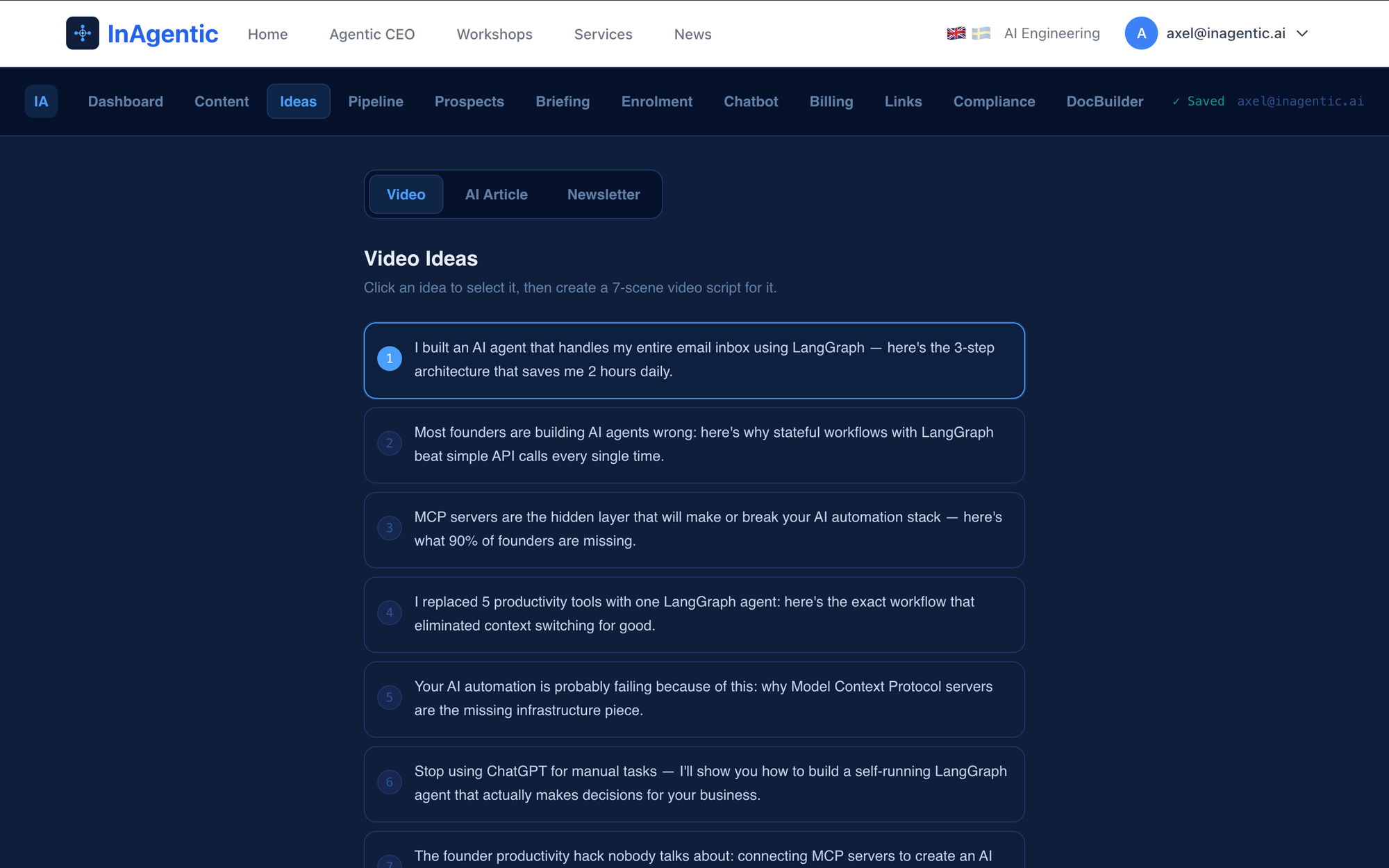
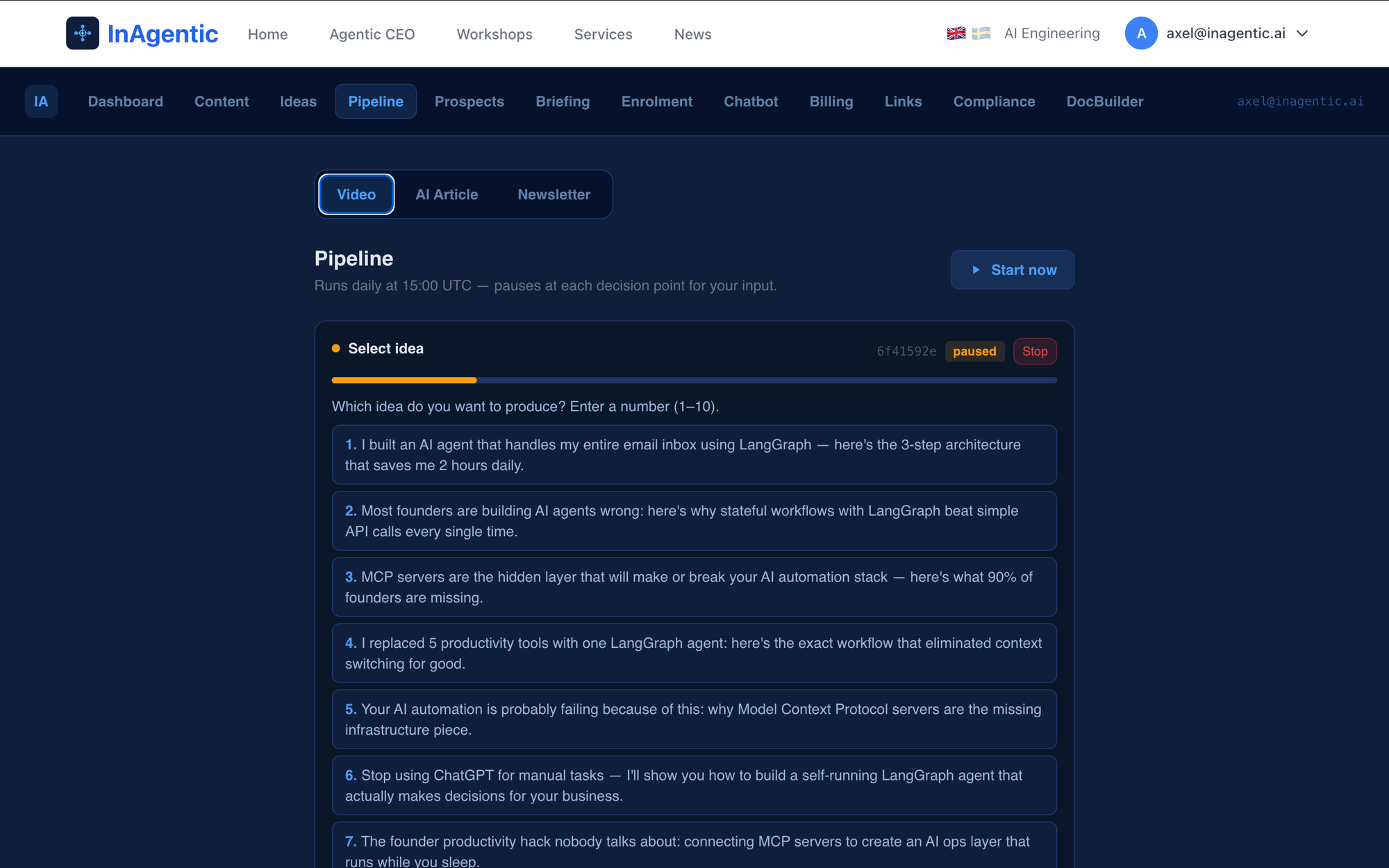
Content generation: From photos of notes (Image to text) to AI generated content (Agent driven workflow)
For developers: how it's built
The architecture is a Python microservice running LangGraph with PostgreSQL checkpointing, called from a Next.js dashboard via a REST proxy. Here's what matters technically.
State machine with two interrupt points
The pipeline is a LangGraph StateGraph with five nodes:
START
  → load_ideas
  → select_idea   [INTERRUPT — pauses, waits for human input]
  → generate_draft
  → review_draft  [INTERRUPT — pauses, waits for human input]
  → save_draft
→ END
The two interrupt nodes use langgraph.types.interrupt() to pause execution and persist full graph state to PostgreSQL via AsyncPostgresSaver. The graph doesn't resume until the dashboard or email link handler calls compiled_graph.ainvoke(Command(resume=value), config).
This means a pipeline can sit paused for hours — or days — without losing state. The checkpointer handles it. The human operates on their own schedule.
Email-driven resume via one-click links
The load_ideas node reads ideas from the database directly (the graph node gets a reference to the connection pool injected during app startup) and sends an HTML email where each idea is a hyperlink:
GET /api/article-pipeline/{thread_id}/select?idea=3&type=articleThat Next.js route handler calls the Python service's resume endpoint with the selected idea index, then redirects to the dashboard. No separate login required — the thread ID acts as the capability token. A deliberate tradeoff between convenience and strict auth for a single-user internal system.
Three resume shapes for the review interrupt
When the user acts on the draft, the dashboard sends one of three formats:
"yes"— approve as-is, no changes"no"— reject; pipeline setsstatus: "stopped"and routes to END- JSON string —
{"approved": true, "post_message": "...", "body": "...", "comments": [...]}— approve with inline edits applied
The node parses the resume value, applies any edits to state, and routes via a conditional edge. If status == "stopped", the edge maps to END; otherwise to save_draft.
Draft generation calls the existing Bedrock route
Rather than duplicating Bedrock configuration in Python, the generate_draft node calls POST /api/dashboard/ideas/generate-article via httpx — the same route the Ideas dashboard uses interactively. A 90-second timeout covers Bedrock's worst-case latency. The Next.js route has export const maxDuration = 60 set to extend AWS Lambda's default timeout.
Shared checkpointer, namespaced thread IDs
Both the video pipeline graph and the article pipeline graph share the same AsyncPostgresSaver checkpointer and the same PostgreSQL connection pool. Thread IDs are namespaced by prefix — article-{uuid}, newsletter-{uuid}, daily-{uuid}, manual-{uuid} — so list endpoints filter efficiently with WHERE thread_id LIKE 'article-%' without schema changes.
Pool injection for direct DB access in nodes
Article nodes need direct DB access (read ideas, write drafts) but live in a separate module from main.py. The pattern: a module-level _pool: Any = None in article_nodes.py, set during FastAPI lifespan startup:
article_nodes._pool = poolSimple, explicit, and easy to test in isolation. No DI framework overhead for an internal service where startup order is known.
Summary
Day 20 gives the agentic business system its first complete content production loop. From saved idea to approved draft, the human makes exactly two decisions — which idea and whether the draft is good — and the agent handles everything in between.
The video pipeline (days 1–19) proved the pattern: LangGraph interrupts for human control, email notifications for async approval, PostgreSQL for durable state. Today applied the same pattern to written content.
What's still missing: Ghost deployment automation (drafts saved to website, publishing to CMS still requires small manual steps), LinkedIn posting, and refined prompt tuning for the newsletter's insider tone. Those are tomorrow's problems.
But the core loop works. Start it, get an email, click an idea, get another email, approve the draft, done.
Content created. Agent did the work. You made the calls.
That's day 20.
Today's delivery
26 June 2026 · Day 20
Content pipelines
- ✓AI article pipeline — agent reads saved ideas, emails one-click selection, generates draft, sends preview, waits for approval
- ✓Newsletter pipeline — same flow, newsletter format with insider tone
- ✓Human approval gates — pipeline pauses at two points: choose idea, approve draft. Resumable from email or dashboard
- ✓Inline draft editing — approve as-is or edit post message, article body, and comments directly in dashboard
- ✓Email one-click idea selection — numbered links in email, click to select and resume without opening the dashboard
Infrastructure
- ✓Content library integration — approved drafts auto-save as post message, article, and comments, structured and ready to deploy
- ✓Unified pipeline dashboard — Video, Article, and Newsletter all managed from one dashboard with real-time status polling
- ▶Ghost deployment automation — drafts saved to site, publishing to CMS still requires small manual steps
Coming next