
Agents That Reach Out: Adding Proactive Email to the Stack
Agents That Reach Out: Adding Proactive agent messaging to the Stack

The UI already does everything need to create slides and avatar doing presentation; the pipeline just needs to automate the human decisions and drive the existing functionality forward.
Here's how it maps:
What already exists (don't rebuild)
/dashboard/ideas— idea generation and selection UI/dashboard/video— scene editor, image generation/upload UI- HeyGen MCP — takes scenes, generates avatar video
- YouTube publish — already connected
What the pipeline adds
- Daily 3pm trigger to generate ideas and notify Founder
- Agent drives the conversation forward via email/WhatsApp
- Agent interprets replies and calls the existing backend functions
- No new video generation logic — just automates the decisions a human currently makes in the UI
Here's what we built - We replaced n8n with a LangGraph pipeline
We ripped out n8n from our video production workflow and replaced it with a Python service built on LangGraph. The result: a stateful, human-in-the-loop pipeline that pauses at every decision point and resumes exactly where you left off.
The problem with n8n
n8n is great for connecting SaaS APIs. It's not great for workflows where a human needs to review, edit, and approve at multiple stages before anything gets published. Every "human approval" step in n8n is a hack — a webhook, a wait node, a polling loop. The state management is fragile and the ability to debug is inadequate.
We needed something that treats human approval as a first-class primitive.
What we built
A Python FastAPI service — inagent-pipeline — running on AWS App Runner, backed by PostgreSQL for persistent state. The pipeline is a LangGraph graph with 10 nodes and 4 human-in-the-loop interrupt points.
The 10 stages:
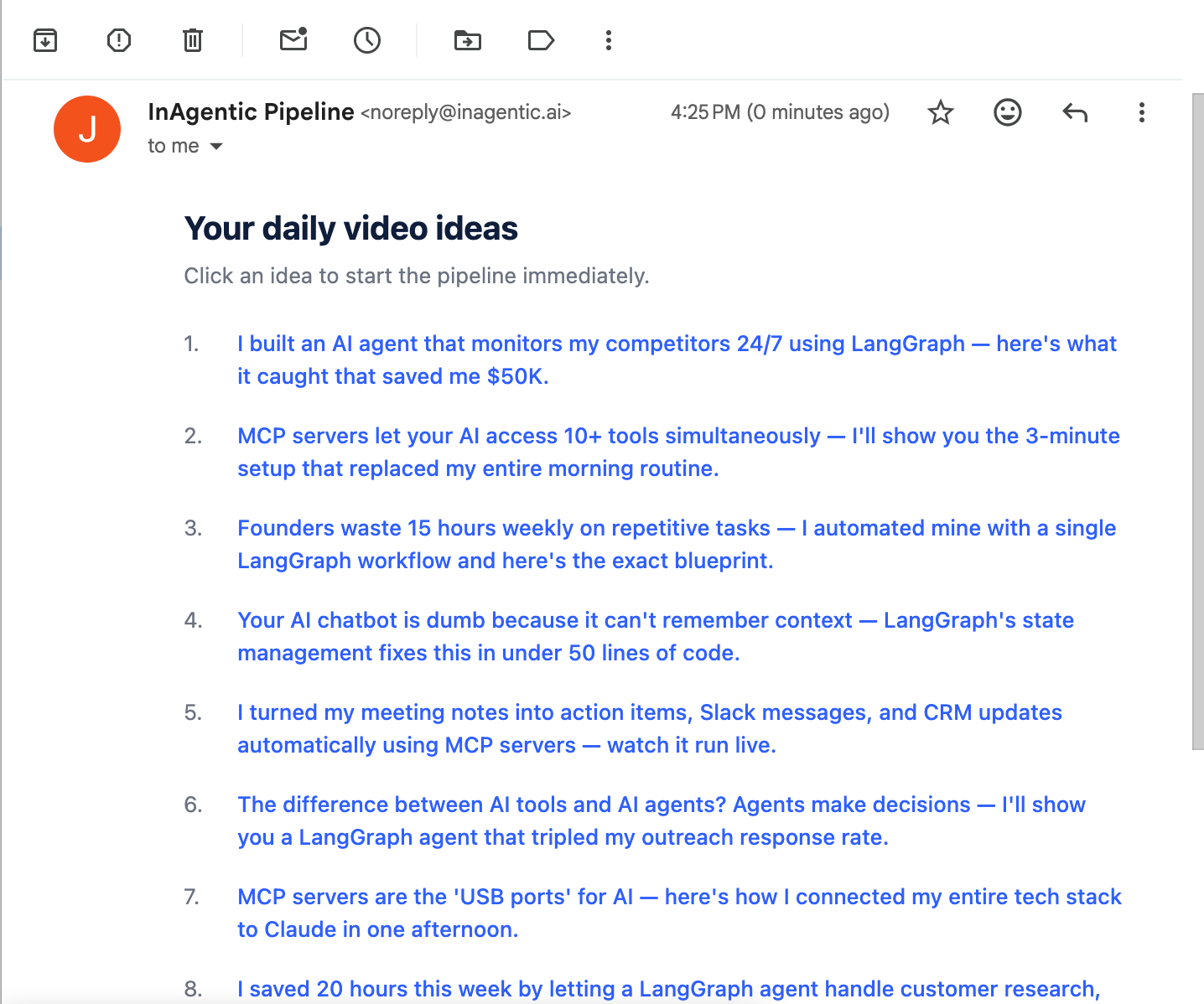
- Generate ideas — calls our MCP server to generate video ideas, saves them, and emails a list with one-click selection links
- Select idea ← human interrupt — user picks an idea from email or dashboard
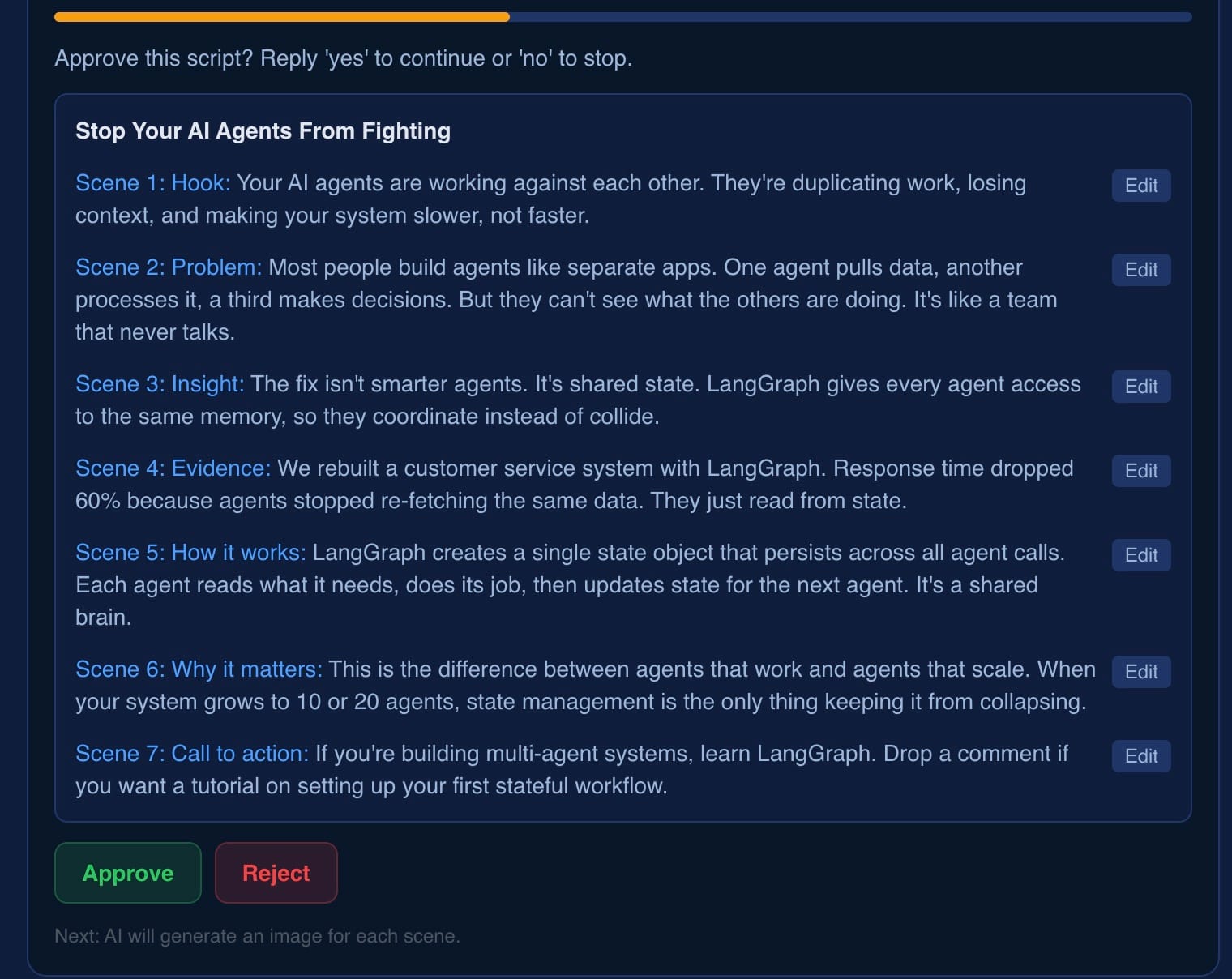
- Create script — generates a 7-scene script for the chosen idea
- Approve script ← human interrupt — user can edit each scene inline before approving
- Generate images — runs 7 concurrent image generation calls (one per scene)
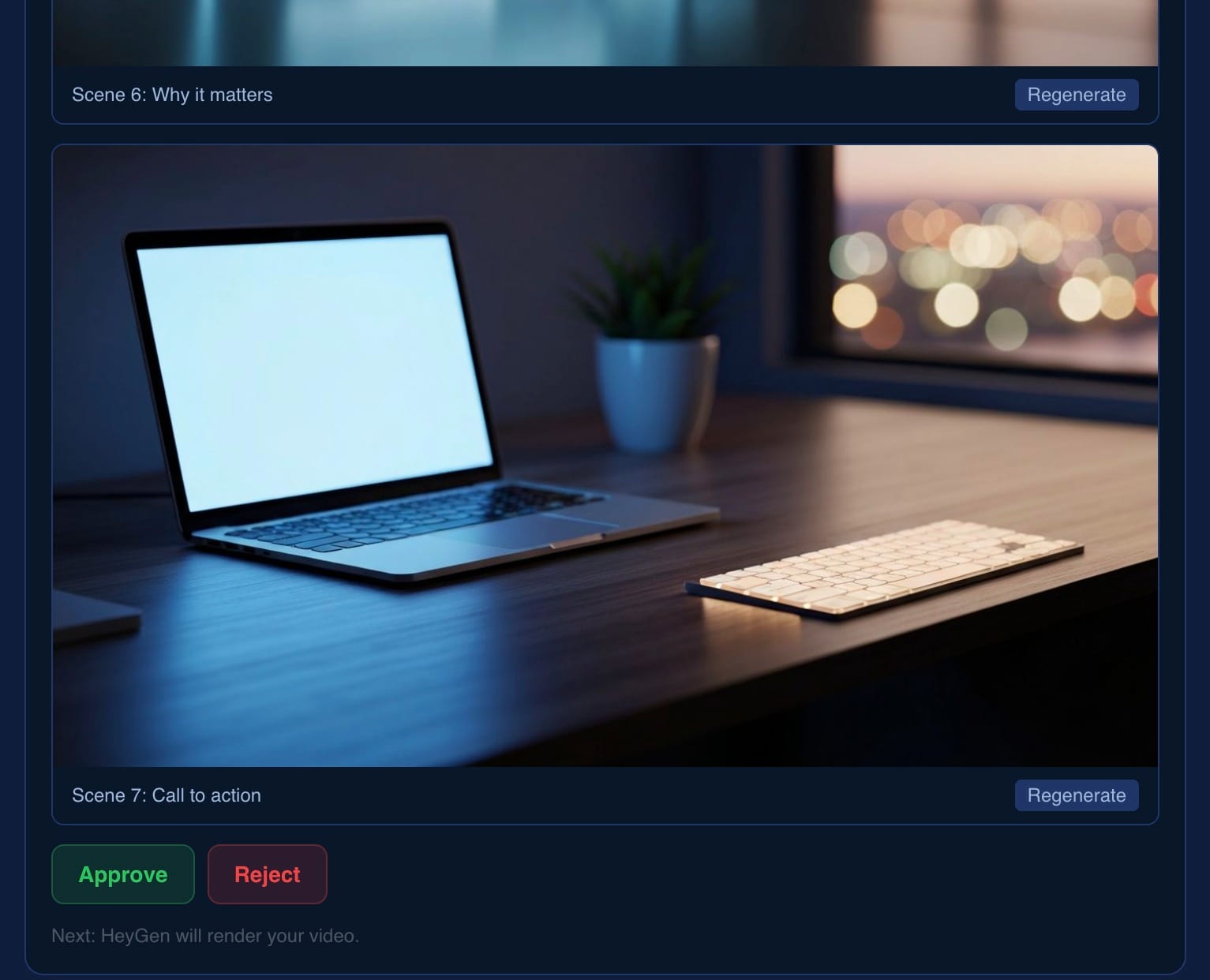
- Approve images ← human interrupt — user reviews images, can regenerate any with a custom prompt
- Render video — sends the script + images to HeyGen
- Poll render — polls HeyGen every 30 seconds until the video is ready
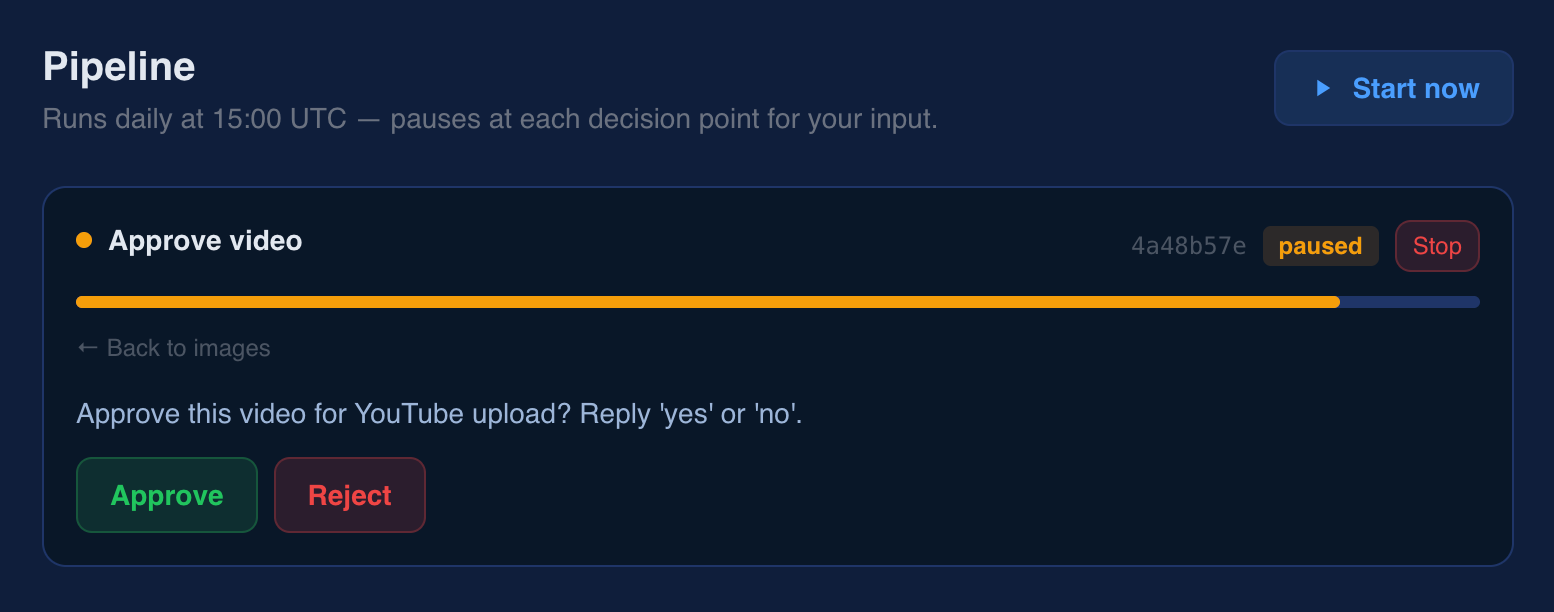
- Approve video ← human interrupt — user previews and approves the final video
- Publish — uploads to YouTube, sends notification email
Why LangGraph
LangGraph's interrupt() primitive is exactly what we needed. When a node calls interrupt(value), LangGraph saves the entire pipeline state to PostgreSQL and waits indefinitely. When the user provides input, we call graph.ainvoke(Command(resume=value), config) and execution continues from exactly the same point.
This also gives us time travel for free. To go back to a previous decision (say, to pick a different idea after seeing the script), we walk the checkpoint history, find the checkpoint where select_idea was interrupted, and replay from there.
The dashboard
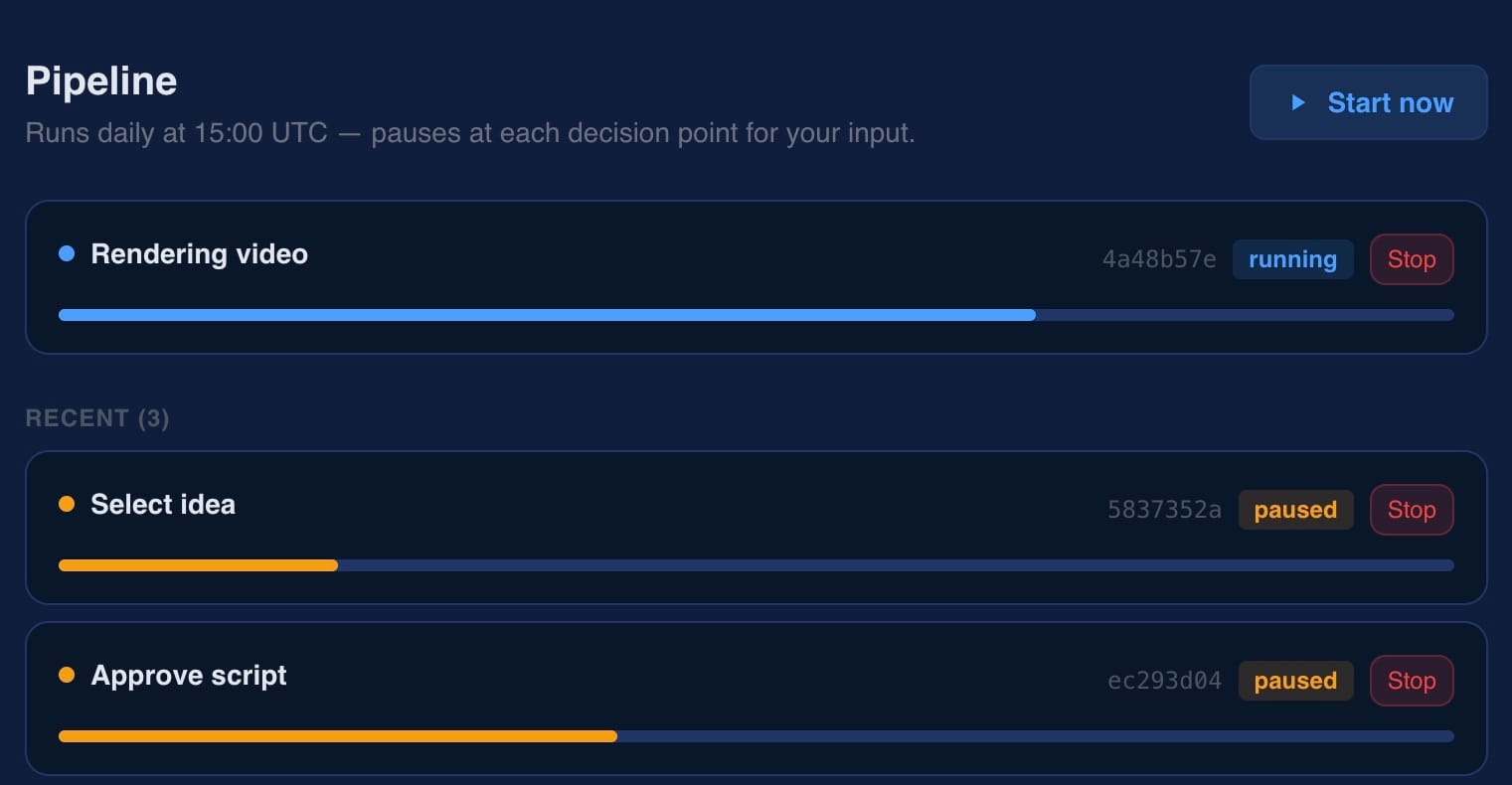
A React dashboard at /dashboard/pipeline polls every 5 seconds and renders the input form for whichever interrupt is active.
- Approve script — each scene has an Edit button. Approve sends the edited scenes back as JSON; the Python node merges them before continuing.
- Approve images — each scene shows the generated image with a Regenerate button and a custom prompt textarea. The new image updates in place without disrupting the interrupt.
- Back navigation —
← Back to ideas/script/imagesreplays from the earlier checkpoint.
What's next
Every pipeline step currently calls an HTTP route on our MCP server. The next step is making the interface uniform: ideas, scripts, scene images, and storage should all be proper MCP tools — the same way HeyGen, YouTube, and email already are. That unlocks swapping implementations without touching the pipeline graph.
Recreate prompt
We are building a LangGraph pipeline to automate the video production workflow for InAgentic. Before building the pipeline we need a uniform MCP interface for every step. Currently HeyGen, YouTube, and email are already MCP tools. Everything else (ideas, scripts, scenes, images, storage, scheduling) lives in HTTP routes only.

Goal of this task: wrap the remaining pipeline steps as proper MCP tools in the existing mcp-server TypeScript service, so the Python pipeline can call every step through one consistent interface.
The full prompt (with tool contract, file list, DB schema, deploy steps, constraints) is at:
Prompt used
We are building a LangGraph pipeline to automate the video production workflow for InAgentic. Before building the pipeline we need a uniform MCP interface for every step. Currently HeyGen, YouTube, and email are already MCP tools. Everything else (ideas, scripts, scenes, images, storage, scheduling) lives in HTTP routes only.
**Goal of this task:** wrap the remaining pipeline steps as proper MCP tools in the existing `mcp-server` TypeScript service, so the Python pipeline can call every step through one consistent interface.
---
## What already exists
**MCP server** (`mcp-server/src/index.ts`) — a TypeScript Express service deployed at `https://mcp.inagentic.ai`. It exposes four tool namespaces:- `/mcp` — general tools including `send_email`- `/pipeline` — pipeline-specific tools: `generate_ideas`, `save_ideas`, `create_scripts_from_ideas`, `generate_scene_image` (these work but are ad-hoc HTTP handlers bolted on, not properly defined MCP tools)- `/text2video` — HeyGen tools: `create_video`, `get_video_status`- `/youtube` — YouTube tools: `upload_video`
**Python pipeline** (`python-pipeline/`) — a FastAPI service with a 10-node LangGraph graph. The MCP client (`pipeline/mcp_client.py`) calls MCP tool endpoints over HTTP. Convenience wrappers:- `pipeline_tool(tool_name, **args)` → `POST https://mcp.inagentic.ai/pipeline`- `general_tool(tool_name, **args)` → `POST https://mcp.inagentic.ai/mcp`- `text2video_tool(tool_name, **args)` → `POST https://mcp.inagentic.ai/text2video`- `youtube_tool(tool_name, **args)` → `POST https://mcp.inagentic.ai/youtube`
**Authentication** — all MCP calls require `Authorization: Bearer ea6fc9fc2e5a4eb36512e60b84b4ef95396f18362b22a2ce2eaeac45510fb150`
**Database** — PostgreSQL at `filedone-db.cv02ummguk82.eu-west-2.rds.amazonaws.com`, db `filedone`, for persisting ideas, scripts, and generated assets.
---
## The 10 pipeline nodes (for reference)
| Node | Current MCP call | Status ||------|-----------------|--------|| `generate_ideas` | `pipeline_tool("generate_ideas", prompt=...)` | Works, informal || `select_idea` | Human interrupt — no MCP | N/A || `create_scripts` | `pipeline_tool("create_scripts_from_ideas", ideas=[...])` | Works, informal || `approve_script` | Human interrupt — no MCP | N/A || `generate_images` | `pipeline_tool("generate_scene_image", slot_id, scene_label, prompt)` × 7 | Works, informal || `approve_images` | Human interrupt — no MCP | N/A || `render_video` | `text2video_tool("create_video", title, scenes)` | Proper MCP ✓ || `poll_render` | `text2video_tool("get_video_status", video_id)` | Proper MCP ✓ || `approve_video` | Human interrupt — no MCP | N/A || `publish_video` | `youtube_tool("upload_video", video_url, title, privacy_status)` | Proper MCP ✓ |
---
## What needs to be built
### 1. Formalise the `/pipeline` MCP tools
The existing `generate_ideas`, `save_ideas`, `create_scripts_from_ideas`, and `generate_scene_image` handlers in `mcp-server/src/index.ts` should be defined as proper MCP tools using the same `buildPipelineServer` pattern already used for HeyGen and YouTube. Each tool needs:- A `name`, `description`, and `inputSchema` (JSON Schema)- A handler that returns `{ content: [{ type: "text", text: JSON.stringify(result) }] }`- Input validation
### 2. Add missing MCP tools
The following capabilities exist as HTTP routes but have no MCP tool definition:
| Tool name | Description | Inputs | Returns ||-----------|-------------|--------|---------|| `save_script` | Persist a generated script to the database | `{ title: string, scenes: [{label, script}] }` | `{ script_id: string }` || `save_scene_image` | Persist a generated scene image URL | `{ script_id, scene_label, image_url }` | `{ ok: true }` || `get_pipeline_slot` | Get or create the active publishing slot | `{}` | `{ slot_id: number, scheduled_at: string }` || `mark_slot_published` | Mark a slot as published after YouTube upload | `{ slot_id, youtube_url }` | `{ ok: true }` |
### 3. Tool contract rules
Every MCP tool must:- Accept a flat JSON object as input (no nested `params` wrapper)- Return `{ content: [{ type: "text", text: JSON.stringify(result) }] }` on success- Return `{ isError: true, content: [...] }` on failure- Never throw — catch internally and return `isError`
---
## Files to modify
- `mcp-server/src/index.ts` — the only file that needs changes. Add proper tool schemas and handlers inside `buildPipelineServer`. Do not touch `buildTextToVideoServer`, `buildYouTubeServer`, or `buildGeneralServer`.
## Files to read first
- `mcp-server/src/index.ts` — understand the existing `buildPipelineServer` structure- `mcp-server/src/__tests__/pipeline.test.ts` — understand test patterns; add tests for every new tool- `python-pipeline/pipeline/mcp_client.py` — see how tools are called from Python so input/output contracts match exactly
## Deploy
After updating the MCP server:1. `cd mcp-server && npm test` — all tests must pass2. `docker build --platform linux/amd64 -t filedone-mcp:latest .`3. Push to `054041090856.dkr.ecr.eu-west-1.amazonaws.com/filedone-mcp:latest`4. `aws apprunner start-deployment` for the `filedone-mcp` service5. Verify: `curl -X POST https://mcp.inagentic.ai/pipeline -H "Authorization: Bearer ea6fc9fc2e5a4eb36512e60b84b4ef95396f18362b22a2ce2eaeac45510fb150" -H "Content-Type: application/json" -H "Accept: application/json" -d '{"jsonrpc":"2.0","method":"tools/list","id":1}'`
---
## Constraints
- MCP server is TypeScript — no Python in `mcp-server/`- Pipeline graph is Python — no TypeScript in `python-pipeline/`- All DB access in the MCP server must use the existing `pg` pool pattern- Do not add new npm dependencies unless essential- AWS profile: `oxcomply-dev`, region `eu-west-1` (ECR) / `eu-west-2` (RDS)
What it looks like - starting with agent emailing me daily
From Daily email to Youtube video - Part 1
What was built
New MCP server at https://mcp.inagentic.ai/pipeline with 11 tools — every pipeline step is now MCP-addressable.
When Video is ready
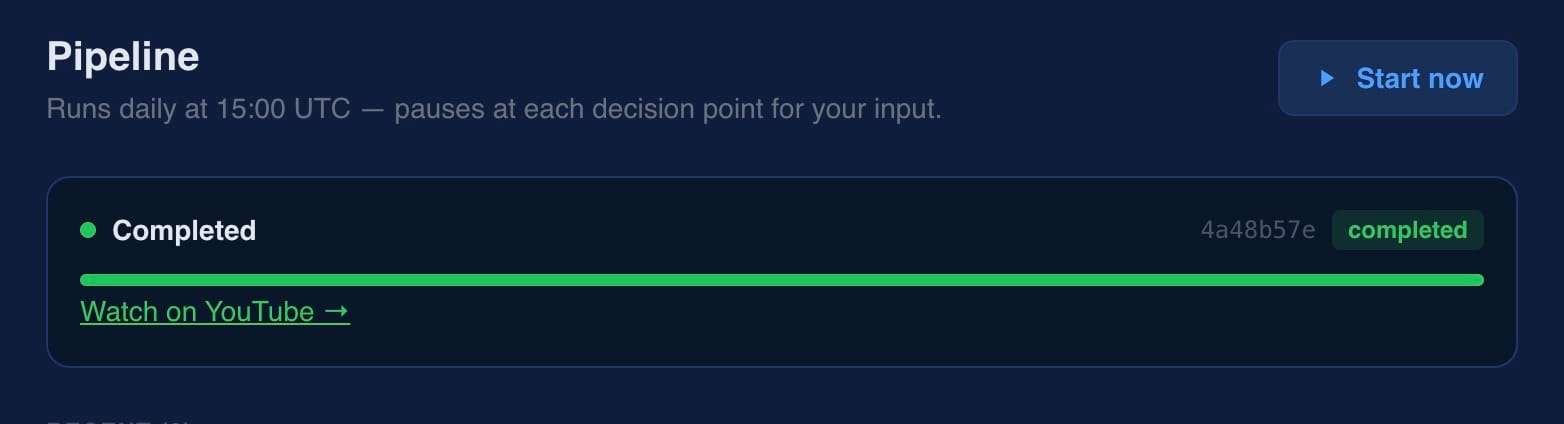
Video created with zero human editing
Below youtube video demonstrates LangGraph flow, approval and automated video generation.
Today's delivery
25 June 2026
Pipeline
- ✓Replaced n8n with a LangGraph pipeline — stateful, human-in-the-loop, pauses and resumes at every decision point
- ✓10-node video production pipeline with 4 human interrupt points: select idea, approve script, approve images, approve video
- ✓Daily 3pm trigger emails founder with generated ideas and one-click selection links
- ✓Full state persisted to PostgreSQL — pipelines survive restarts and can sit paused for hours or days
- ✓Time travel — back navigation replays from any earlier checkpoint without restarting the pipeline
MCP server
- ✓New MCP server at mcp.inagentic.ai/pipeline with 11 tools — every pipeline step is now MCP-addressable
- ✓Formalised existing pipeline tools (generate ideas, save ideas, create scripts, generate scene image) with proper schemas and error handling
- ✓Added missing tools: save script, save scene image, get pipeline slot, mark slot published
Dashboard
- ✓React pipeline dashboard at /dashboard/pipeline — polls every 5 seconds, renders active interrupt form
- ✓Inline scene editing on script approval, per-scene image regeneration with custom prompt on image approval
- ✓First video created with zero human editing and published to YouTube
- ▶Image quality and avatar selection improvements
Coming next