
Agent 6: How We Built an AI Curriculum Builder That Turns Photos Into Structured Documents
Agent 6: How We Built an AI Curriculum Builder That Turns Photos Into Structured Documents
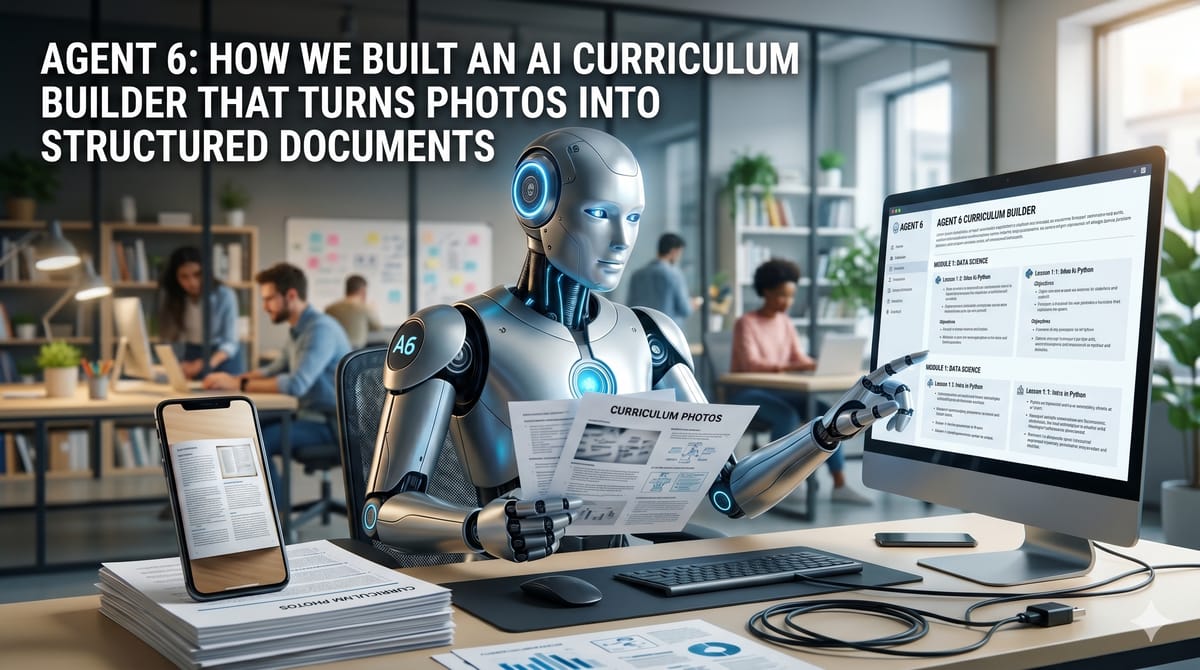
Curriculum builder or DocBuilder started as a frustration: course curriculum was scattered across whiteboards, phone camera rolls, and rough notes typed at midnight. We built a tool that turns any of those into clean, structured markdown — and then added an email agent so you never have to open a browser at all.
The Problem
When you run workshops and courses, curriculum lives everywhere. Handwritten notes from brainstorming sessions. Whiteboard photos taken at the end of a session before someone wipes it clean. Scanned slides from earlier versions of a course. Rough outlines typed into Notes on your phone at 11pm.
Getting any of that into a clean, versioned, shareable document is tedious enough that most people simply don't do it. The curriculum stays in fragments.
We felt this directly building the InAgentic workshop series — Business AI, Claude Code for Developers, and Agentic CEO. Each programme has evolving content, and keeping it organised was becoming a genuine bottleneck. We needed a tool that made the friction of capturing course material essentially zero.
What We Built
DocBuilder is a markdown document editor embedded in the InAgentic dashboard. It has three ways to get content in, ordered by decreasing friction:
1. Photo to Text
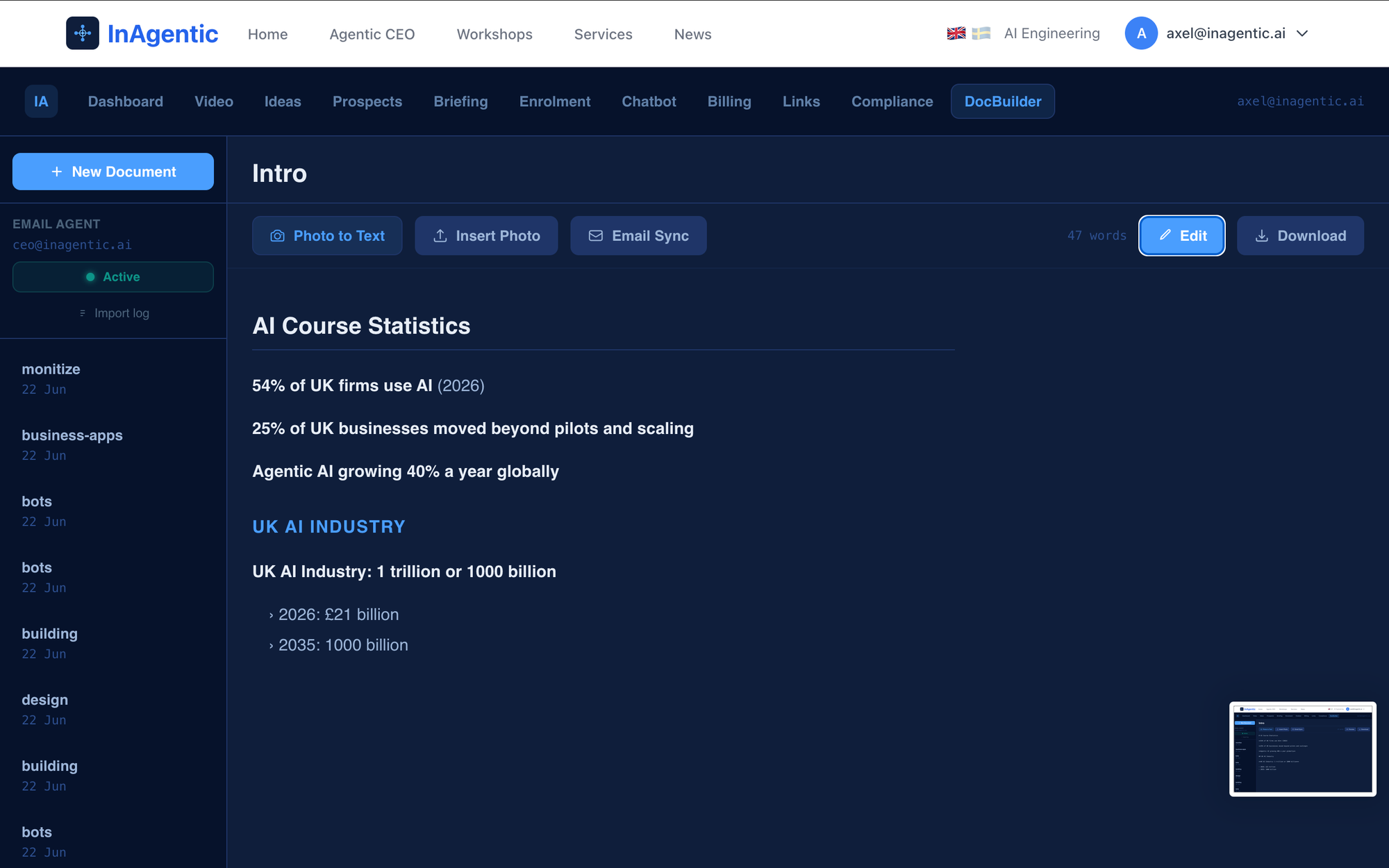
You take a photo of any handwritten notes, whiteboard, or printed page and upload it. DocBuilder sends the image to Claude via AWS Bedrock and returns clean, structured markdown. The model infers hierarchy from the visual layout — headings become #, sub-sections become ##, bullet points become -, numbered steps stay numbered. Key terms get bolded. Obvious handwriting mistakes get corrected.
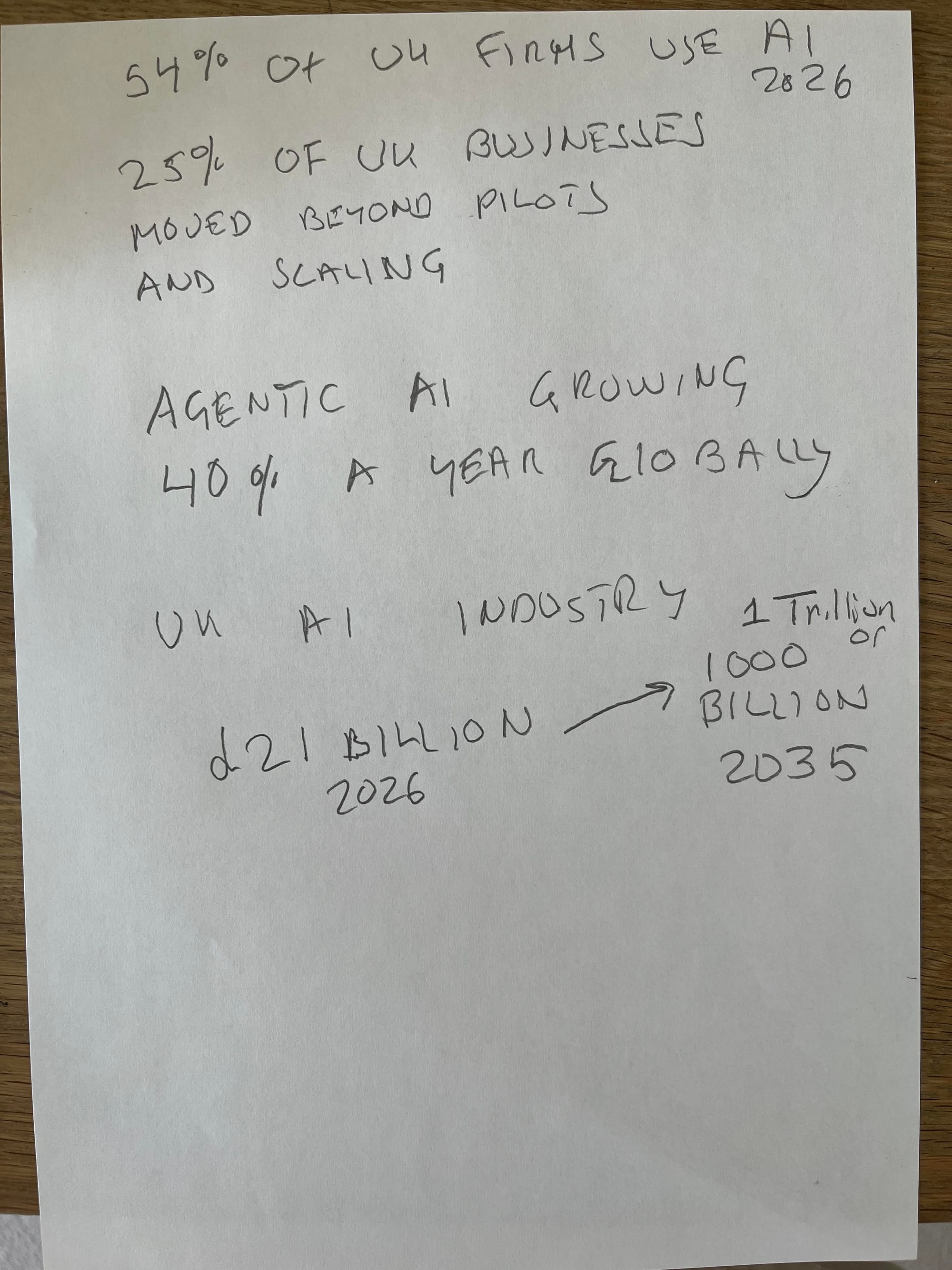
We also added contextual correction to the OCR prompt. If the model reads "UW AI Course" and the surrounding context is clearly about a UK-based AI programme, it outputs "UK AI Course" instead. This makes a material difference when working with handwritten notes where letter ambiguity is common.
2. Email Sync
A dedicated panel lets you browse image attachments from your inbox and click any one to OCR it directly into the current document. Useful when you've been emailing yourself photos from a session and want to pull them in selectively.
3. Email Agent
This is where it gets interesting. Email any image to ceo@inagentic.ai and the agent automatically OCRs it and creates a new document in DocBuilder — named after the image filename. No browser to open, no button to click. The document just appears.
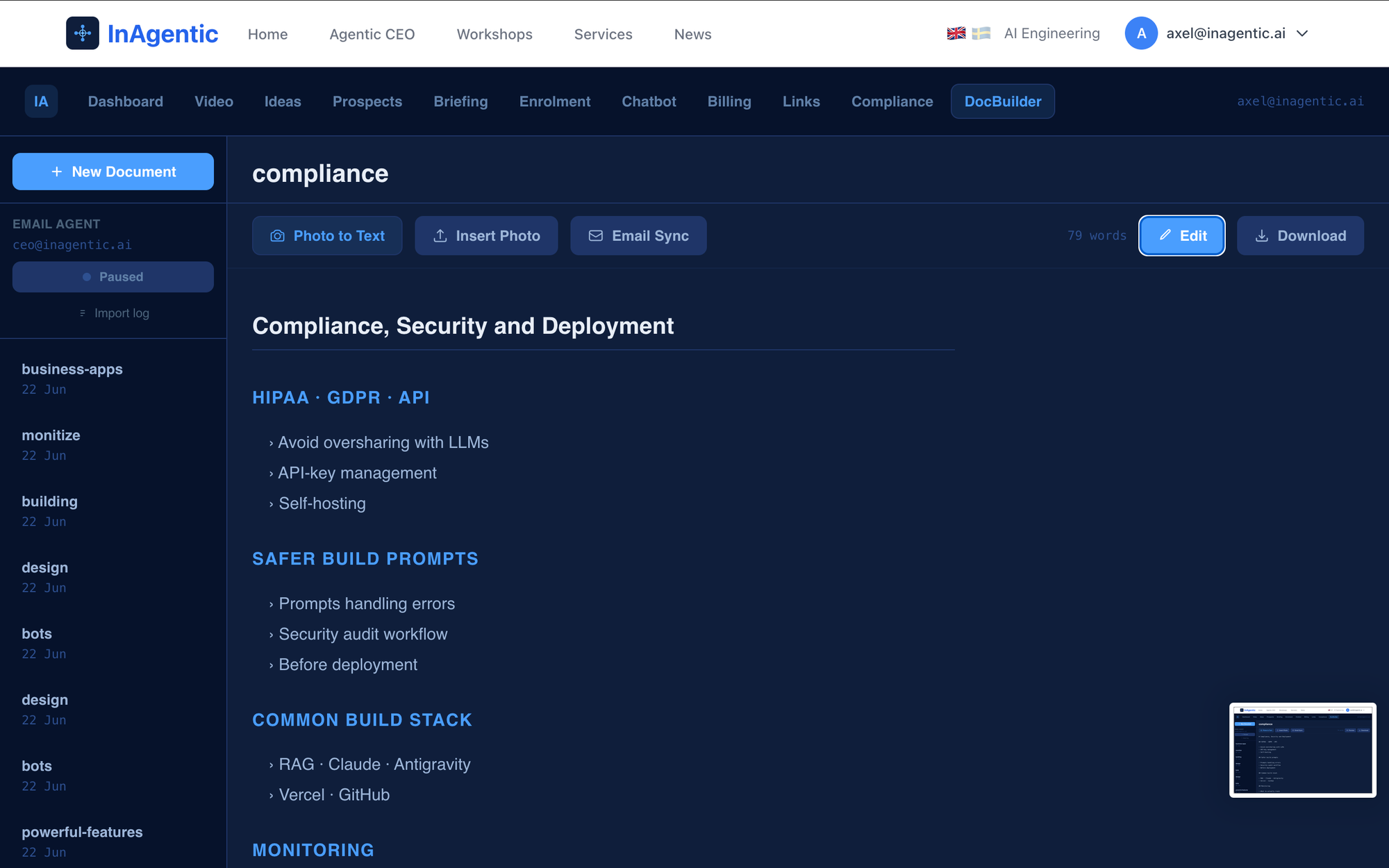
A single toggle in the sidebar activates or pauses the agent. When active, it checks for new attachments every few minutes. An import log shows exactly which emails have been processed, what subject line they arrived under, and which document was created from each one.
The Technical Stack
OCR via AWS Bedrock
We use Claude Sonnet on AWS Bedrock in eu-west-1 for vision processing. The model receives the image as base64 alongside a prompt that specifies exactly what structured output we want.
The prompt matters a lot here. "Extract text from this image" gives you a flat transcript. Our prompt specifies heading hierarchy, list formatting, bold key terms, and contextual correction — and the difference in output quality is substantial. Claude understands document structure well enough to infer it from visual layout even when the original is handwritten.
One practical issue: camera photos from modern phones are 8–12 MB, which becomes 10–16 MB as base64 — well over API Gateway's 10 MB payload limit. We solve this client-side using the Canvas API to resize any image to a maximum of 2048px on its longest edge before encoding. This keeps the payload under 3 MB while retaining enough resolution for accurate OCR.
Gmail API Integration
The email agent uses the Gmail API with an OAuth2 refresh token. On each run it searches for emails matching to:ceo@inagentic.ai has:attachment newer_than:30d, fetches up to 20 message details in parallel, flattens the MIME tree to find image parts, and filters out anything over 3 MB.
We hit one non-obvious problem: Gmail's attachment IDs are not stable. Each time you fetch a message, the attachment may return a different ID. We initially deduplicated by attachment ID and ended up creating a new document from the same photo on every agent run.
The fix: switch to a composite dedup key of message_id + filename. The message ID is assigned when the email arrives and never changes. The filename is set by the sender. Together they uniquely and stably identify any attachment. Different emails with the same filename still create separate documents because they have different message IDs.
Key insight
Gmail's attachmentId is not a stable identifier — it changes on every API call. Never build deduplication logic on it. Use messageId + filename instead.
n8n for Background Automation
The email agent needs to run in the background whether or not the DocBuilder page is open. A browser-based polling loop only works while the user is on the page — useless for an agent that's meant to process emails overnight.
We connected it to n8n — our orchestration layer — with a two-node workflow: a Schedule Trigger firing every few minutes and an HTTP Request node that POSTs to the process endpoint. The workflow runs on n8n's cloud infrastructure and is completely independent of the user's browser session.
The process endpoint is self-contained and idempotent. If the agent toggle is paused, it returns immediately without touching Gmail or Bedrock. If active, it processes up to three new attachments per run and records each one in the database. n8n never needs to know whether work was done — it just calls the endpoint on schedule.
This separation of concerns matters: the orchestration layer is dumb by design. All the business logic lives in the API endpoint, which means it can be called from n8n, a cron job, a webhook, or the browser polling loop — and it always behaves correctly.
Auto-Save and State Management
The editor auto-saves with a 1.5-second debounce. We discovered a subtle bug: when the user clicked Preview, Next.js re-rendered the page in preview mode, and on returning to edit mode the component re-initialised from the server — discarding unsaved edits.
The fix was to extract a stable doSave() function with useCallback([], []) dependencies, then flush the current editor state into the document list and trigger an immediate save before switching to preview mode. The Preview button cancels any pending debounce and fires the save synchronously. By the time the component re-renders for preview, the database already has the latest content.
Database Schema
Three tables handle the persistent state:
docbuilder_documents— one row per document, withuser_email,title,content(markdown), and standard timestampsdocbuilder_config— single row per user, stores theagent_enabledbooleandocbuilder_processed_attachments— the dedup log, keyed by(user_email, message_id, filename), with subject line and sender for the import log UI
Renames are handled with a COALESCE in the PUT route — sending { title } without a content field leaves the content untouched. This made inline rename safe to implement without accidentally overwriting the document body.
What We Learned
Unstable third-party IDs are a silent trap
Gmail's attachment ID looks like a stable identifier — it has a consistent format, it comes back with every message detail call, and nothing in the documentation warns you it changes. We only discovered it was unstable by noticing that the same email was producing new documents on every agent run. Always verify that IDs returned by external APIs are actually stable across fetches before building deduplication logic on them.
Email as an input modality is underused
Emailing a photo to create a document feels almost too simple, but that simplicity is exactly the point. You're standing at a whiteboard at the end of a workshop. The room needs to be cleared in five minutes. Opening a browser, navigating to a tool, and uploading a file is just enough friction to make you put it off. Email removes that friction entirely — and it works from any device, anywhere.
Idempotent endpoints make automation trivial
Because the process endpoint handles its own state — checking what's been processed, respecting the agent toggle, returning cleanly when there's nothing to do — the n8n workflow is four nodes and takes ten minutes to set up. Good API design meant the automation layer needed zero business logic.
OCR quality depends on the prompt, not just the model
The gap between a generic OCR prompt and a structured document prompt is dramatic. Claude's vision capabilities are strong, but they need to be directed. Specifying heading hierarchy, list formatting, bold key terms, and contextual correction in the prompt produces documents that are actually ready to use — not just a transcription to clean up afterwards.
What's Next
DocBuilder currently lives inside the InAgentic internal dashboard, used daily to capture and organise workshop curriculum. The next step is connecting it to the course delivery layer — so a document in DocBuilder can become a published course module, a slide deck outline, or a structured briefing sent to enrolled participants.
The curriculum builder becomes the single source of truth for everything downstream. Write once, publish everywhere.
If you're building courses, workshops, or training programmes and want to see how AI tools like this fit into a real workflow, come to one of our workshops. We build with these tools live in the room — including DocBuilder itself.
Today's delivery
22 June 2026 · Agent 6
DocBuilder / Curriculum Builder
- ✓Photo to text — upload any handwritten notes, whiteboard, or printed page and get clean structured markdown via Claude on AWS Bedrock
- ✓Contextual OCR correction — model infers UK vs UW and similar ambiguities from surrounding context, not just pixel recognition
- ✓Email sync — browse inbox image attachments and OCR directly into the current document from a sidebar panel
- ✓Email agent — email any image to ceo@inagentic.ai and the agent automatically creates a new document, no browser required
- ✓Agent toggle and import log — activate or pause the agent, with a full history of which emails were processed and what documents were created
- ✓Auto-save with debounce — 1.5s debounce, preview mode flushes save synchronously before re-render to prevent data loss
Infrastructure
- ✓Client-side image resizing via Canvas API — reduces 8-12MB phone photos to under 3MB before encoding, stays within API Gateway limits
- ✓Gmail API deduplication fixed — switched from unstable attachmentId to messageId + filename composite key
- ✓n8n background automation — schedule trigger calls idempotent process endpoint every few minutes, independent of browser session
- ▶Course delivery integration — DocBuilder documents to become published course modules, slide deck outlines, and structured participant briefings
Coming next
How LLMs Actually Learn: Fine-Tuning, Transformers, and the Architecture Behind Modern AI