
Agent 2: content publishing - the pipeline
Turn a blank page into a fully published article in minutes. Meet Agent 2 — the content publishing pipeline from InAgentic’s Agentic Business Operating System.
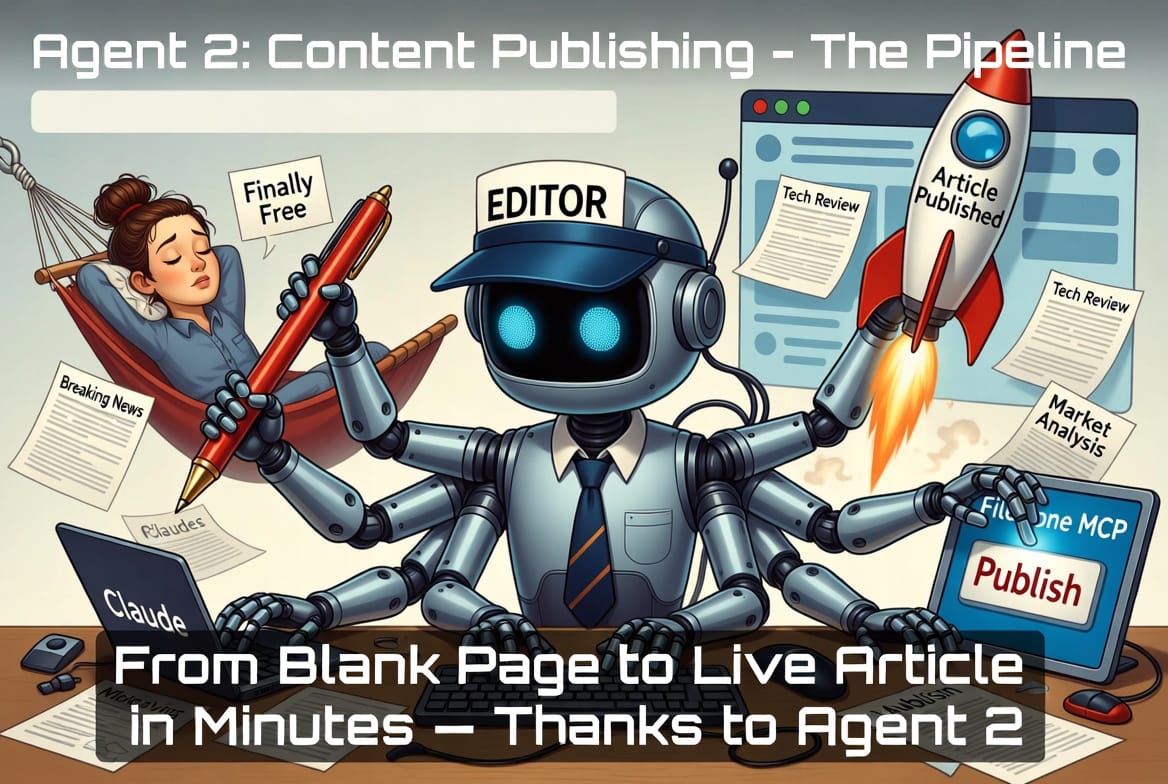
Turn a blank page into a live article in minutes. This is the full agentic content pipeline — idea generation, AI writing, smart editing, and one-command deployment to your website.
Most content workflows still look like this: open a document, stare at a blank page, write a first draft, spend hours editing and formatting, copy everything into your CMS, forget the SEO fields, and publish days later than planned.
The agentic version is different.
Describe what you want, approve the output, and return to a published article.
This is Agent 2 in our Agentic Business Operating System: the Content Publishing Pipeline.
Powered by Claude, MCP (Model Context Protocol), and connected business tools such as FileDone and InAgentic, it takes a content idea from concept to live URL in a single automated workflow.
💡 Idea Generation
→ ✍️ AI Research & Writing
→ ✏️ Review & Optimisation
→ 🚀 Publish & Deploy
The Technology Behind It
The pipeline is built on three layers working in concert:
1. Claude as the Content Brain
Claude (accessed via the Anthropic API or Claude Desktop) acts as writer, editor, and publishing coordinator. It understands your brand voice, your audience, and your technical constraints. Unlike a one-shot prompt, it maintains context across the entire pipeline — from research to final HTML.
2. MCP — The Integration Layer
Model Context Protocol (MCP) is the open standard that lets Claude talk directly to your tools. Instead of you copy-pasting between apps, Claude calls your MCP servers directly — reading data, writing content, and triggering deployments. For this pipeline, we use two MCP servers:
- FileDone MCP (mcp.inagentic.ai/mcp) — uploads and publishes articles to the FileDone blog
- InAgentic MCP (mcp.inagentic.ai/inagentic) — access to InAgentic content, services, and analytics
Ghost CMS also exposes a REST API (and increasingly an MCP server) for programmatic publishing, covered in the deployment section below.
3. The Anthropic API — Claude in Claude
For the idea generation and writing steps, we call the Anthropic API directly from within our pipeline code. This means Claude can spawn sub-tasks: one model call to research keywords, another to write a draft, another to edit for a specific audience. This "Claude in Claude" pattern is what makes the pipeline genuinely agentic rather than just automated.
Step 1: Generate Your Top 10 Article Ideas for Traffic
Before writing anything, you need to know what to write. The agent's first job is to identify the 10 article topics most likely to drive organic traffic to your site.
Here's the prompt pattern used internally:
The Technology Behind It
The pipeline is built on three layers working in concert:
1. Claude as the Content Brain
Claude (accessed via the Anthropic API or Claude Desktop) acts as writer, editor, and publishing coordinator. It understands your brand voice, your audience, and your technical constraints. Unlike a one-shot prompt, it maintains context across the entire pipeline — from research to final HTML.
2. MCP — The Integration Layer
Model Context Protocol (MCP) is the open standard that lets Claude talk directly to your tools. Instead of you copy-pasting between apps, Claude calls your MCP servers directly — reading data, writing content, and triggering deployments. For this pipeline, we use two MCP servers:
- FileDone MCP (mcp.inagentic.ai/mcp) — uploads and publishes articles to the FileDone blog
- InAgentic MCP (mcp.inagentic.ai/inagentic) — access to InAgentic content, services, and analytics
Ghost CMS also exposes a REST API (and increasingly an MCP server) for programmatic publishing, covered in the deployment section below.
3. The Anthropic API — Claude in Claude
For the idea generation and writing steps, we call the Anthropic API directly from within our pipeline code. This means Claude can spawn sub-tasks: one model call to research keywords, another to write a draft, another to edit for a specific audience. This "Claude in Claude" pattern is what makes the pipeline genuinely agentic rather than just automated.
Step 1: Generate Your Top 10 Article Ideas for Traffic
Before writing anything, you need to know what to write. The agent's first job is to identify the 10 article topics most likely to drive organic traffic to your site.
Here's the initial prompt pattern used internally:
Create a prompt for my prompt library it should create articles for facebook with consistent results:
* Research trending topics topics about Claude and GenAI
* Create 10 articles ideas with a 10 line summary
* Let user choose best article
* Let user edit
* Deploy when asked only
With web search enabled, Claude will research real search volumes and competition before returning ideas. Here's an example of what the output might look like for an AI developer tools site:
| # | Article Title |
|---|---|
| 1 | The Best AI Coding Tools for Python Developers in 2026 |
| 2 | How to Build an AI Agent with Node.js in 2026 |
| 3 | Claude vs GPT-4o for Code Generation: A Developer's Test |
| 4 | MCP Servers Explained: The New Standard for AI Integration |
| 5 | Agentic Workflows: Automate Your Business with Claude |
| 6 | Top 5 AI APIs Every Developer Should Know in 2026 |
| 7 | UK AI Startups to Watch: Tools Built for Founders |
| 8 | How to Use Claude's API: A Complete Guide for 2026 |
| 9 | AI-Powered Compliance: How SaaS Tools Are Saving UK Startups |
| 10 | The Best AI for Developers: Ranked and Reviewed for 2026 |
Topic #10 — "The Best AI for Developers" — has the highest monthly search volume. Let's use that as our example article and take it all the way to deployment.
Step 2: Write the Article with Claude + MCP
Now Claude writes the full article. The key here is using the system prompt to encode your brand voice, and passing your MCP context (your company, existing articles, target audience) so the article feels like you wrote it.
The article arrives as clean HTML — ready to inject into any CMS or website template. No formatting work required.
Why MCP in the writing call? When FileDone MCP is attached, Claude can check what articles already exist on the blog, avoid duplication, and link internally to relevant posts. The InAgentic MCP adds product context — workshop offerings, case studies — so the article naturally references real services rather than generic placeholders.
Step 3: Smart Editing — Customise for Your Audience
The first draft targets developers broadly. But smart publishing means tailoring for sub-audiences. The pipeline includes an editing pass that takes the base article and applies a specific lens — without rewriting everything from scratch.
Example: Add "In 2026" + Python/Node.js Developer Focus
This editing pass typically takes under 30 seconds and produces a version that resonates much more strongly with a targeted developer audience. You can run multiple passes for different audiences — the same base article becomes three or four tailored variants.
Other Useful Editing Passes
- Tone shift — "Make this suitable for non-technical founders, remove jargon"
- SEO pass — "Add LSI keywords naturally throughout, ensure keyword density ~1.5%"
- CTA injection — "Add an InAgentic workshop call-to-action after the third section"
- Length control — "Trim to 800 words for a social media teaser version"
Step 4: Deploy — FileDone Website via MCP
With the final HTML ready, deployment is two MCP calls: upload (makes the article live at its URL) and publish (adds it to the blog listing).
MCP Call 1 - Upload the Article
Pushes the HTML to the server. The article is immediately accessible at its slug URL but not yet listed on the blog index. Use this URL to preview before making it discoverable.
The article is now live, indexed, and discoverable. Total time from idea to published URL: under 3 minutes of compute.
Step 5 (Optional): Deploy to Ghost CMS
If you run a Ghost blog alongside your main site, the pipeline extends naturally via Ghost's Admin API.
Putting It All Together: The Full Pipeline
Here's the complete sequence from a single command:
- Trigger — A daily scheduled task, a Slack message, or a manual Claude Desktop prompt: "Write a new article for traffic this week."
- Idea generation — Claude + web search returns 10 ranked topics with estimated volumes.
- Selection — Either automated (pick the highest-volume low-difficulty option) or human-in-the-loop (you choose from the list).
- Writing — Claude + MCP context produces the full HTML article in ~20 seconds.
- Editing pass — Audience targeting, year-freshness, CTAs injected automatically.
- Upload — FileDone MCP: article goes live at preview URL.
- Review — Optional: agent emails you the preview link for a quick sanity check.
- Publish — FileDone MCP: appears on blog index. Ghost MCP: syndicated to Ghost simultaneously.
- Notify — Pipeline sends a Slack or email confirmation with the live URL and estimated reach.
This is Agent 2 of the Company OS. Agent 1 handled daily intelligence briefings. Agent 2 handles content publishing. Each agent runs independently but shares the same MCP-connected context layer.
Why This Matters
Content is one of the highest-leverage growth channels for a software company — and one of the most consistently deprioritised. The reason is always the same: it's slow, it requires mental energy, and the ROI feels distant.
Agentic publishing flips that equation. The pipeline doesn't replace editorial judgement — you still decide what topics matter and review before major pieces go live. But it removes the friction: the blank page, the formatting, the CMS wrangling, the SEO guessing.
At InAgentic, we run this pipeline ourselves. This article was produced with it.
If you want to build this for your own company — whether you're on Ghost, WordPress, Webflow, or a custom stack — that's exactly what our AI Engineering workshops cover. The pipeline above is a starting point; the real power comes from connecting it to your specific tools, voice, and growth goals.